

VAT Handled. Report Ready.
Every invoice in Experi tracks VAT automatically. When it's time for your VAT return, pull a clear report showing total output tax, broken down by rate - ready to hand to your accountant or enter in your HMRC account.
Start FreeFrom Every Invoice to VAT Return - Without the Stress
If you're VAT-registered, every invoice needs to show the right VAT breakdown. Experi handles this automatically - standard rate, reduced rate, zero rate, exempt, and domestic reverse charge. The VAT report summarises all output tax across any date range so your returns are straightforward.
See the workflow in Experi
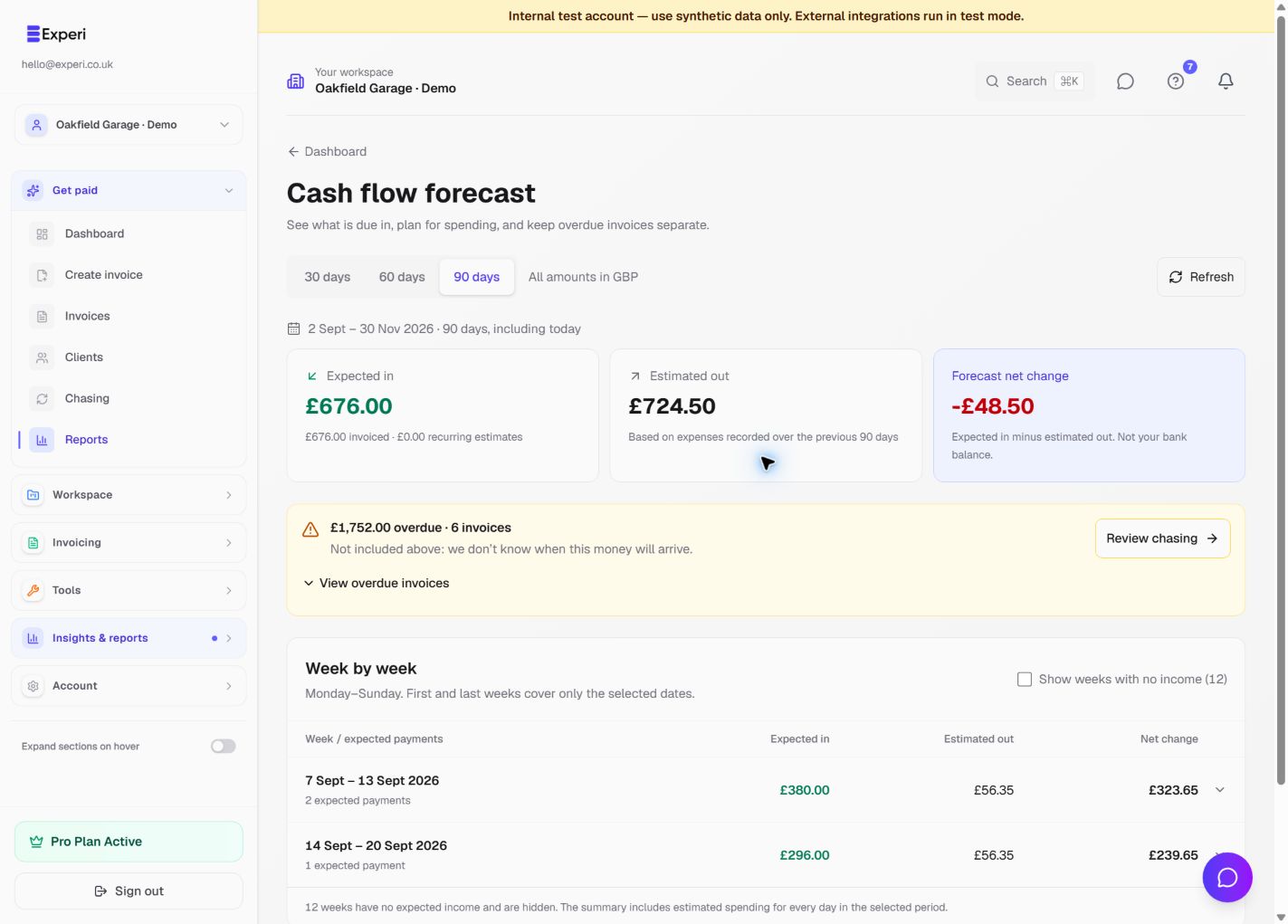
Understand the dates, assumptions and source records behind each report instead of treating every total as cash in the bank.
Pro reporting; Tax Planner availability and eligibility apply
Key Benefits
Correct VAT on Every Invoice
Set VAT rate per line item - 20%, 5%, 0%, exempt, or reverse charge. Experi calculates the tax, shows the breakdown on the invoice, and records it correctly.
VAT Report for Any Period
Filter your VAT report by date range. See total output VAT by rate category. Download as a PDF or spreadsheet for your accountant or HMRC.
Reverse Charge for Construction
Domestic reverse charge for construction (DRC) is handled automatically. Required wording is added to the invoice and the VAT treatment is correct.
How It Works
Invoice with VAT
Add your VAT registration number once in settings. Every invoice you create will automatically show your VAT number and the correct VAT breakdown.
Set VAT per Line Item
Choose the VAT rate for each line item - different services may have different rates. Experi calculates and totals everything correctly.
Pull Your VAT Report
Go to Reports, choose your VAT return period, and download the VAT summary. Hand it to your accountant or use it to complete your HMRC return.
Perfect For
All plans
VAT invoicing is available on all plans (Free and Pro). VAT reporting and export is a Pro feature.
View Pricing DetailsFrequently Asked Questions
What VAT rates does Experi support?
Standard rate (20%), reduced rate (5%), zero rate (0%), exempt, outside scope, and domestic reverse charge. Each line item can have its own rate.
Does Experi integrate with HMRC Making Tax Digital?
Experi produces the VAT report totals you need for your return, but direct MTD submission is handled by your accountant or accounting software. Experi makes it easy for them by providing accurate, formatted reports.
I use CIS - does VAT work correctly alongside CIS deductions?
Yes. CIS deductions and VAT are calculated separately and displayed correctly on the invoice. Domestic reverse charge VAT also works correctly alongside CIS.
Ready to Try This Feature?
Start using Experi today. All features available to try risk-free.
No credit card required • Start invoicing in under 60 seconds