

UK plumbing invoice software
Plumbing Invoice Software for UK Plumbers
Create a quote, turn agreed work into an itemised invoice, reuse labour and parts, and see what is still unpaid. Experi keeps invoicing focused without making you adopt a full job-management suite.
- 5 invoices total on Free
- 14-day Pro trial
- No card required to start
Quote → invoice → payment
Plumbing invoicing without full job-management overhead
Experi is a focused route from agreed work to a tracked invoice. Keep your existing diary or dispatch system, while the customer, labour, parts, due date and payment history stay together here.
Step 1
Quote the work
List the call-out, labour, parts and terms before the job begins.
Step 2
Issue the invoice
Convert agreed work, check the final details and send or print the customer copy.
Step 3
Track the balance
Record payments, see what is overdue and follow up manually or on a Pro schedule.
Free starter for plumbers
£0/month
5 invoices and 5 quotes as lifetime totals, up to 3 clients and 3 manual reminders.
Pro
£9/month
Start with a 14-day trial. Pro adds unlimited invoices, scheduled reminders, recurring invoices, time tracking and custom invoice branding.
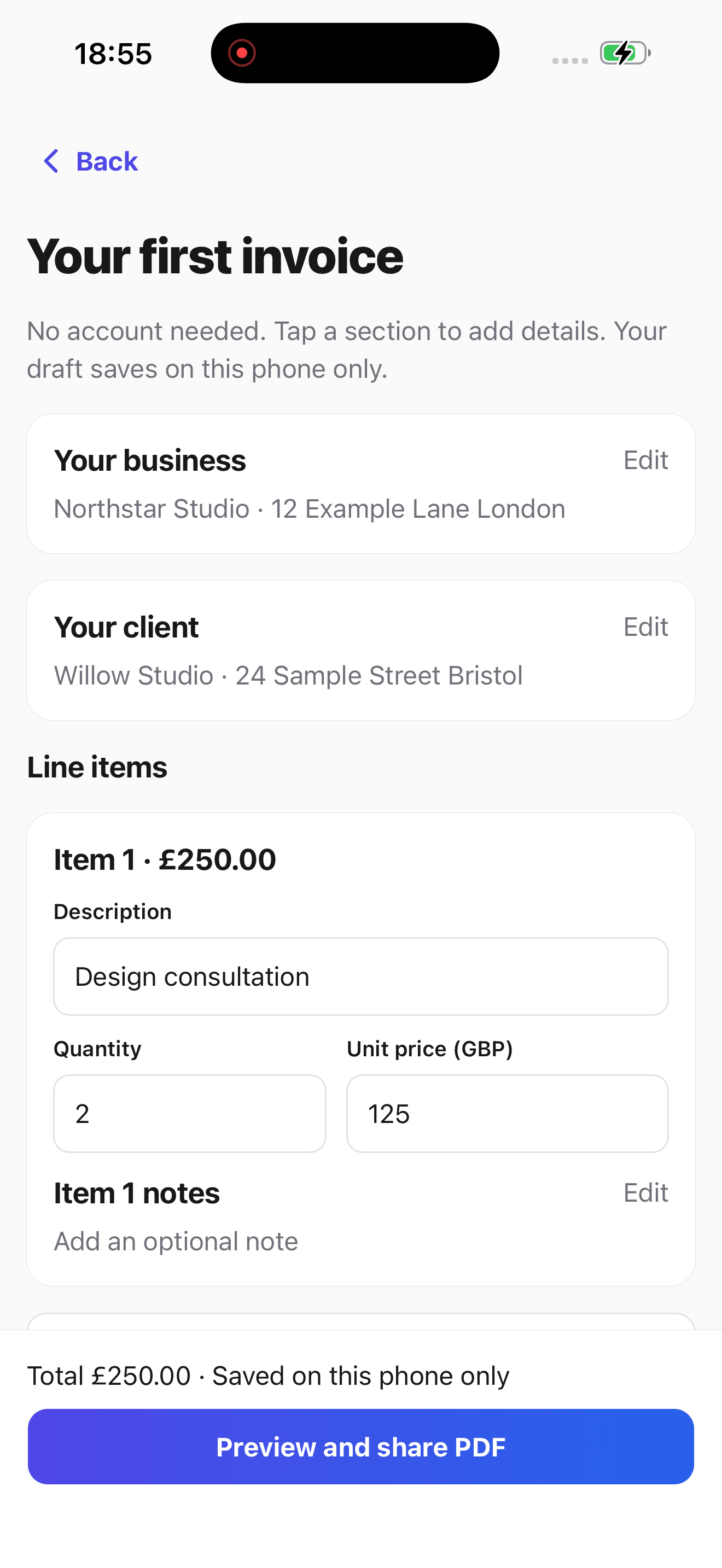
Experi plumbing invoice app
Create and manage invoices from the job.
Experi for iPhone, iPad and Android gives plumbers a focused route from customer and quote to a tracked invoice. Keep job scheduling, Gas Safe records and full bookkeeping in the specialist systems built for them.
- Create and manage customer invoices away from your desk
- Use the same Experi account on mobile and web
- Keep client details and payment status close on the road


Why plumbers use Experi
Quote Before the Work
Set out the call-out, labour, parts and payment terms, then convert accepted work into an invoice without retyping the client or line items.
Reuse Labour and Parts
Save common services and sold components, recall them on the next invoice, and replace every example price with the amount agreed for that job.
Track What Is Still Due
See awaiting-payment and overdue invoices, record part or full payments, use manual reminders on Free, or schedule reminders on Pro.
From job to customer invoice
An invoice workflow for plumbers
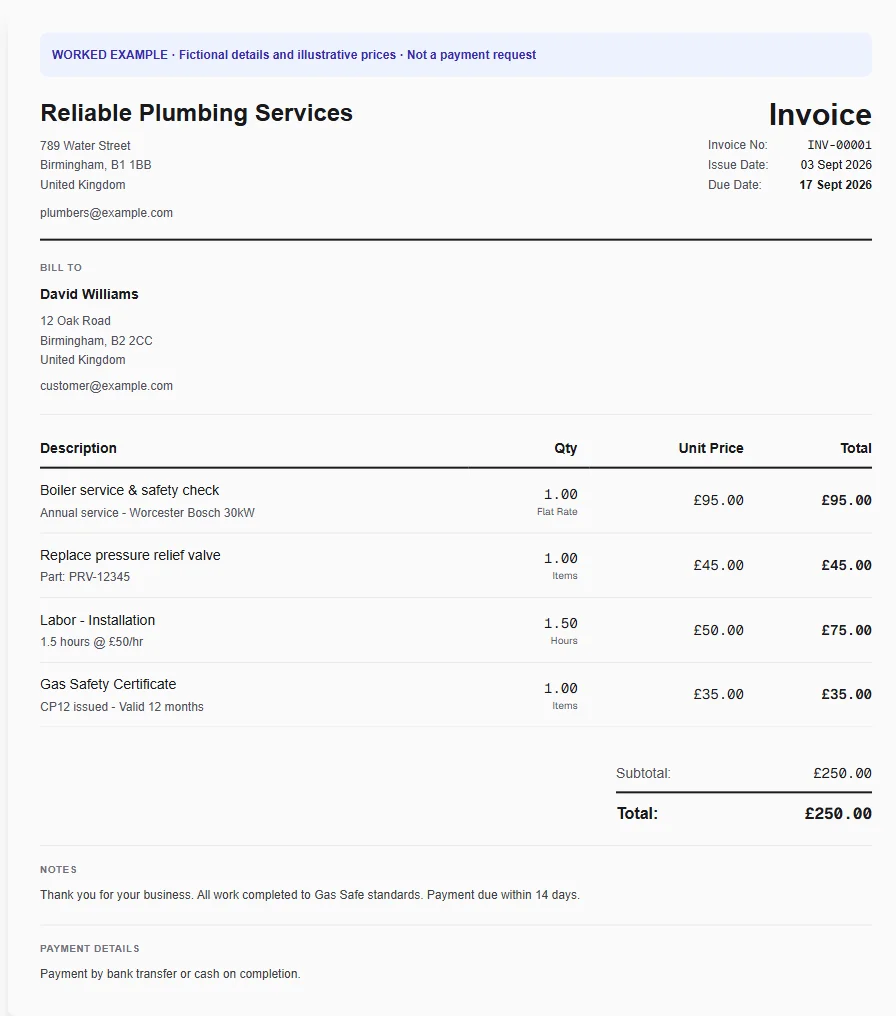
A heating repair includes an initial visit, fault-finding labour and a replacement component. Keep the appliance and site reference with the invoice so a landlord can match it to the correct property.
Describe the visit
Apply the plumbing template and separate diagnosis from the repair. Enter the agreed call-out price and only include additional labour or parts that apply to this visit.
Reuse parts and service lines
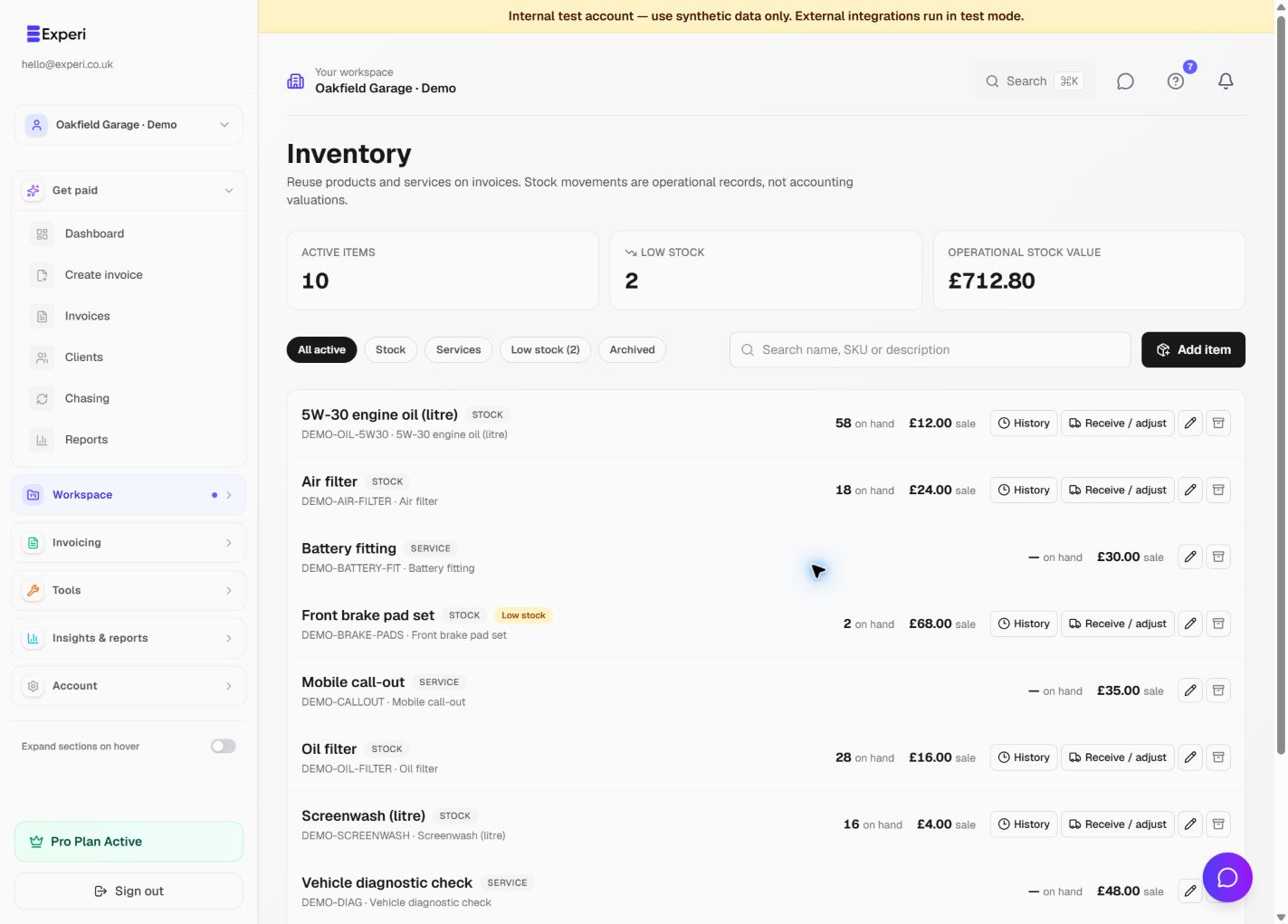
Add standard services and sold components from Inventory. Each invoice keeps its own price and description snapshot even if you later update your item catalogue.
Give the customer a useful record
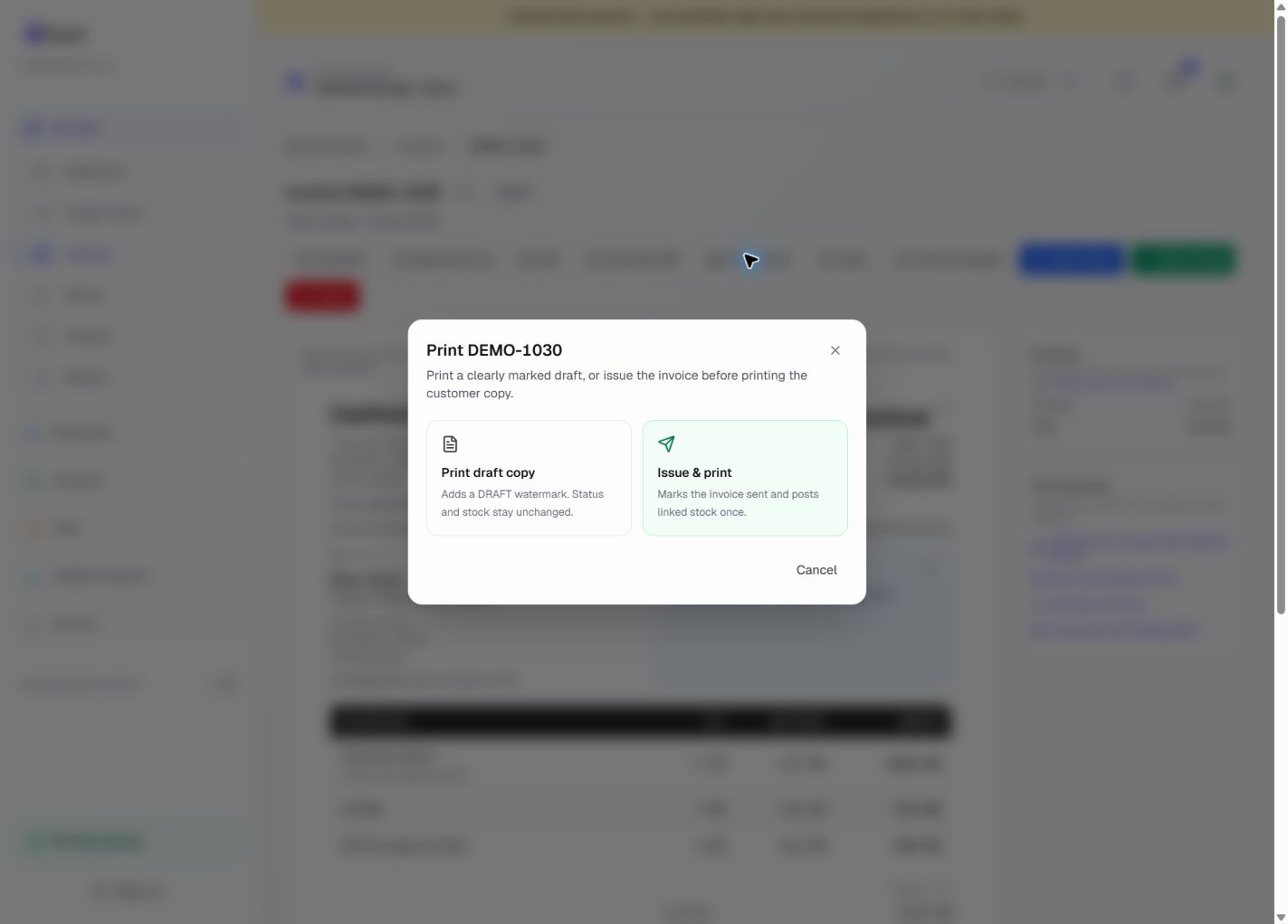
Add the property, appliance and relevant service-record reference to Notes. Review the PDF, then send it to the client or issue and print a copy at the job.
Preselected, never automatically applied. Enter your own prices and review the client, dates and tax settings.
Before you invoice: An invoice is not a gas-safety record. Do not copy an example certificate or warranty, and avoid charging the same first hour in both the call-out and labour lines.
The tools behind this workflow
Explore the tools behind this workflow. Templates and inventory are free capabilities; document allowances apply. Time tracking, recurring invoices and automated chasing require Pro.
Plumbing work you can invoice
Plumbing invoicing features and plan access
Plumbing invoice software questions
What does plumbing invoice software help with?
It keeps the customer, quote, line items, invoice, due date and payment status together. Experi also lets you reuse common labour and parts, create a customer PDF and follow up on an unpaid invoice.
Can I turn a plumbing quote into an invoice?
Yes. Create the quote with the client and line items, send it for review and convert accepted work into an invoice. Check the final scope, quantities, tax treatment and due date before issuing it.
Does Experi include plumbing job scheduling or gas safety certificates?
No. Experi is focused invoicing software. It does not schedule engineers, dispatch jobs or issue gas-safety records. Add a genuine service-record reference to an invoice where useful, but keep certification in the appropriate system.
Can I separate call-out, labour and parts on a plumber invoice?
Yes. Give the agreed call-out, labour and each supplied part their own line when that matches how the job was priced. Avoid charging the same first hour in both the call-out and labour lines.
How much does Experi cost for a plumber?
Free includes five invoices and five quotes as lifetime totals, up to three clients and three manual reminders. Pro starts with a 14-day trial and is £9 per month for unlimited invoices plus scheduled reminders, recurring invoices, time tracking and branding.
Is there an Experi plumbing invoice app?
Yes. Experi for iPhone, iPad and Android is available on the App Store and Google Play. Use the same Experi account to create and manage customer invoices away from your desk, then continue on the web when you need a larger screen. Experi does not replace specialist job scheduling, Gas Safe records or full bookkeeping software.
Create your next plumbing invoice
Start with the plumbing template, add your own prices and review the customer copy before you issue it.
Free includes 5 invoices total · 14-day Pro trial · no card required