

UK self-employed invoicing software
Invoicing Software for Self-Employed Work
Create a professional invoice for independent work, add your legal or trading details, set clear payment terms and keep track of what is still due. Use accounting software or an accountant for tax filing and complete bookkeeping.
- 5 invoices total on Free
- 14-day Pro trial
- No account needed for the invoice editor
Quick answer
What does invoicing software for self-employed people do?
It turns independent work into a clear client invoice, keeps reusable client details together and shows what is still due. Experi focuses on the invoice workflow; it does not replace complete bookkeeping, Self Assessment work or direct tax submissions.
Create an invoice now
Use the browser editor without an account, then review, download or print the finished PDF.
Open the free invoice editorSave clients and track payment
Create an account when you want reusable client records, saved invoices and payment status.
Save and track with ExperiMatch your business structure
Self-employed describes how you work; your legal structure decides which extra invoice details apply.
See the sole-trader invoice routeChoose Experi for
- Client invoices and quotes
- Professional PDFs and printing
- Unique invoice numbers and payment terms
- Payment status and manual reminders
- Time, projects, recurring invoices and scheduled reminders on Pro
Use an accountant or compatible accounting software for
- Complete bookkeeping and tax adjustments
- Self Assessment preparation or submission
- Direct Making Tax Digital updates
- Partnership accounts or statutory accounts
- Advice on employment status or business structure
Free starter for self-employed work
£0/month
5 invoices and 5 quotes as lifetime totals, up to 3 clients and 3 manual reminders.
Pro
£9/month
Start with a 14-day trial. Pro adds unlimited invoices and clients, time and expense tracking, projects, recurring invoices, scheduled reminders and custom branding.
Check current GOV.UK guidance on what invoices must include, self-employed business records and self-employed status.
Experi self-employed invoice app
Review client invoices wherever work takes you.
Use the same Experi account on the web, iPhone, iPad and Android to keep client invoices and payment status close by. Continue using an accountant or compatible accounting software for complete bookkeeping and tax submissions.
- Review and manage client invoices away from your desk
- Use the same Experi account on mobile and web
- Check client details and payment status between jobs


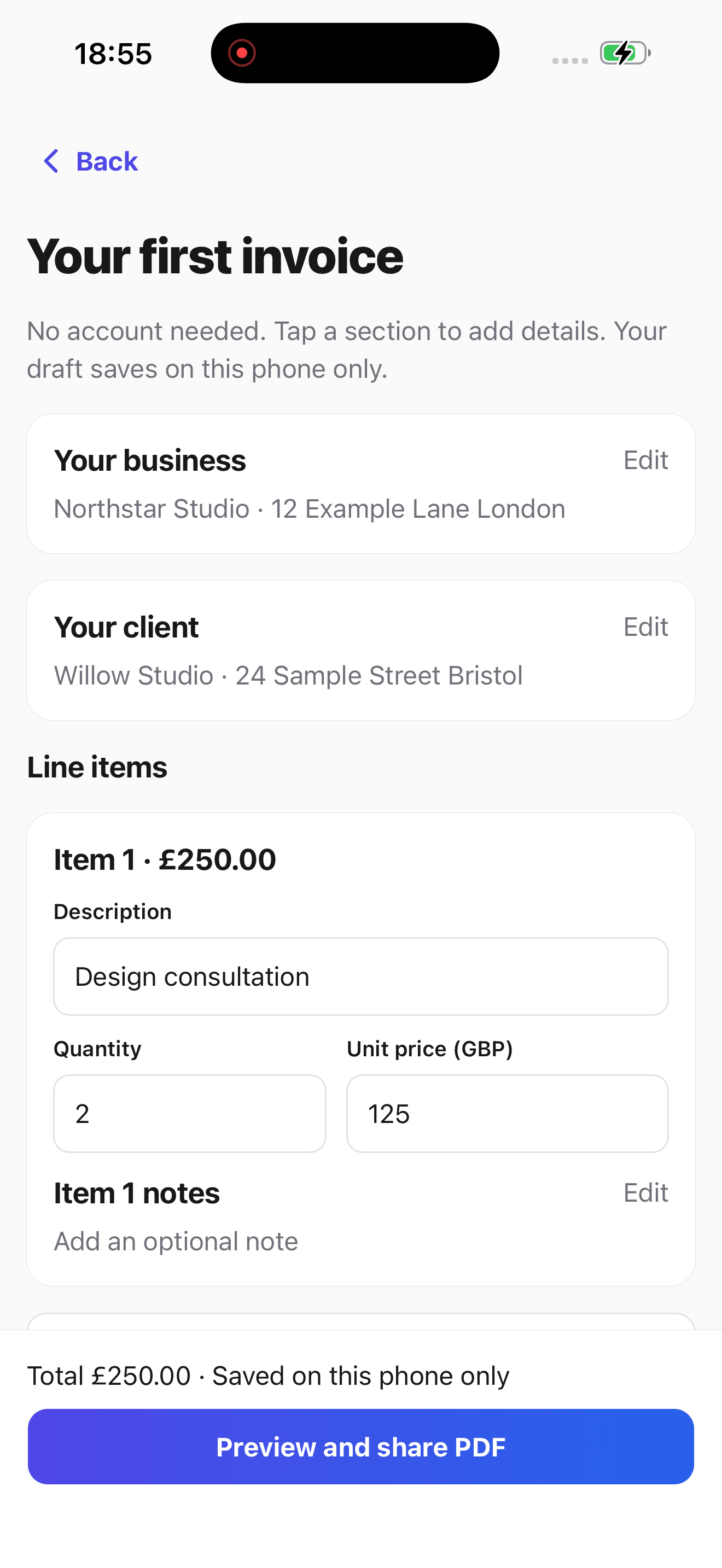
A clearer invoice workflow for self-employed work
Turn Completed Work into an Invoice
Record the client, work supplied, dates, amounts, payment terms and the legal or trading details that apply to your business structure.
Reuse Clients and Regular Services
Save client details and common invoice lines when you create an account, so the next invoice starts with less repeated entry.
Keep Payment Status Visible
See which invoices are awaiting payment, overdue or paid. Use manual reminders on Free or scheduled reminders on Pro after email access is approved.
Inside Experi
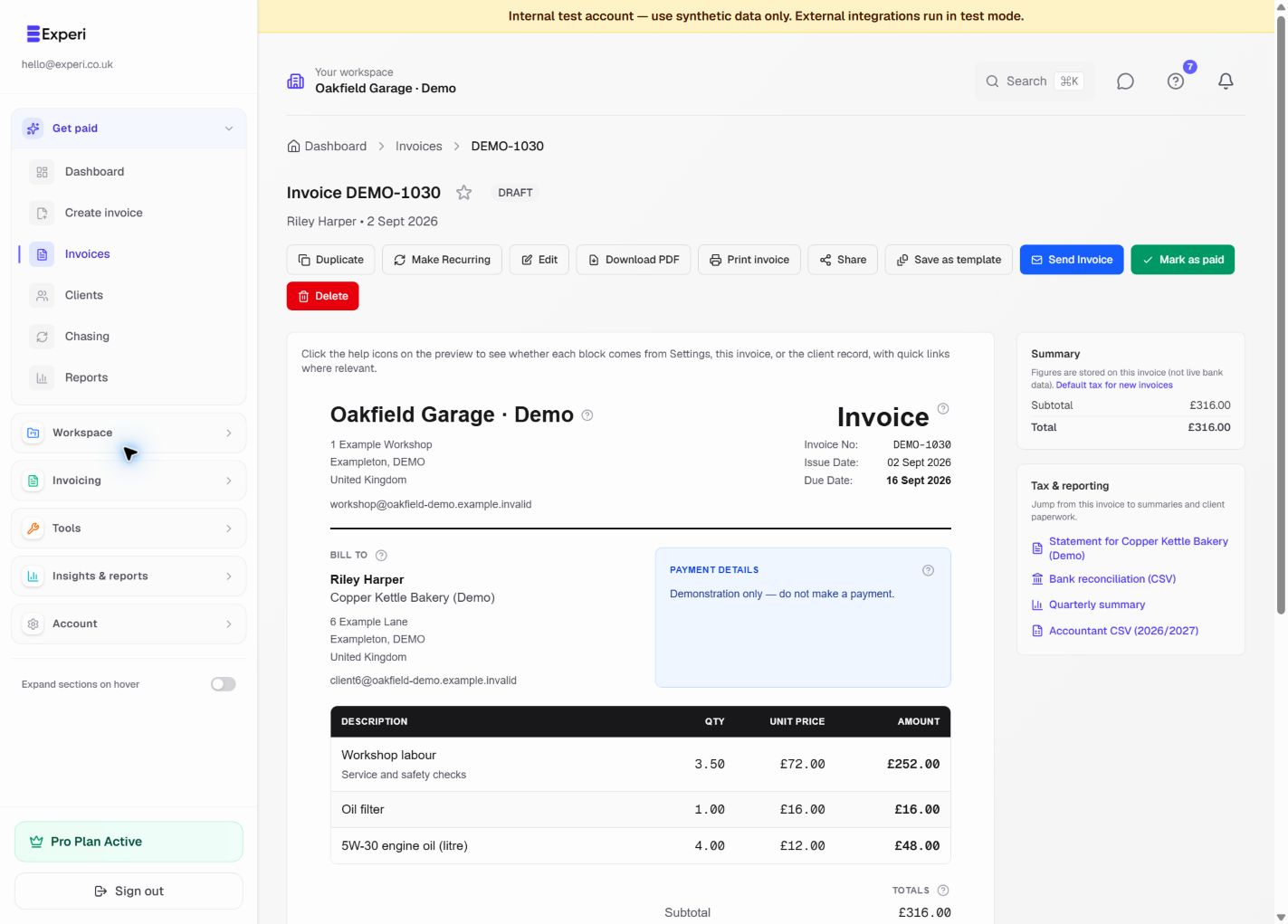
Your invoice, ready to review.
See the line items, payment details and amount due before you send. Reuse your services and parts, then download or print a customer copy when you need one.
Try the invoice preview without an account“I've been freelance for just over a year now and Experi has made invoicing so much easier. It's really simple to use, I can save all of my different clients in one place and creating invoices only takes a couple of minutes.”
Self-employed work you can invoice
Self-employed invoicing features and plan access
Self-employed invoicing software questions
What does self-employed invoicing software do?
It helps you create and keep client invoices, reuse client details, see what is still due and follow up when needed. Experi focuses on that invoice workflow; it is not a complete bookkeeping package or direct tax-filing service.
Can I create a self-employed invoice without an account?
Yes. Use Experi's browser invoice editor to enter your own details, review the invoice and download or print it without creating an account. Create an account when you want to save clients and invoices or track payment status.
What should a self-employed invoice include?
Include a unique invoice number, your business and contact details, the customer's name and address, a clear description, the supply and invoice dates, the amounts charged, VAT where applicable, the total due and clear payment terms. Your business structure can add requirements: for example, a sole trader using a business name must include their own name and an address for legal documents.
Is an invoice the same as a receipt?
No. An invoice requests payment and records what is being charged; a receipt acknowledges that payment has been received. Record the payment against the saved invoice when it arrives so its status remains clear.
Is self-employed the same as sole trader?
Self-employed describes working for yourself and taking responsibility for the business. Sole trader is one business structure; partners in a business partnership can also be self-employed. If you operate as a sole trader, use Experi's dedicated sole-trader page and current GOV.UK guidance for the structure-specific invoice details.
Does Experi submit Self Assessment or MTD updates?
No. Experi can keep invoice and payment records and provide exports, but it does not replace complete bookkeeping, Self Assessment work or direct Making Tax Digital submissions. Use an accountant or compatible accounting software for those tasks.
Which self-employed invoicing features require Pro?
Free includes five invoices and five quotes as lifetime totals, up to three clients and three manual reminders. Pro is £9 per month after the 14-day trial and adds unlimited invoices and clients, recurring invoices, scheduled reminders, time and expense tracking, projects and custom branding.
Create an invoice for your next client
Open the free editor, add your legal or trading details, client work and payment terms, then review the invoice before you download or print it.
No account needed for the invoice editor · Free account allowances apply when saving