

UK small-business invoicing software
Small Business Invoicing Software UK
Create quotes and professional invoices, keep client records organised, track what is due and schedule payment reminders as your workload grows.
- Free starter plan
- 14-day Pro trial
- No card required to start
Quote → invoice → payment
Small-business invoicing without a full accounting suite
Experi keeps the client-facing work together: agree the work, issue the invoice, see what is outstanding and follow up. Use your accountant or accounting software for full bookkeeping, statutory accounts and direct tax submissions.
Step 1
Create the quote
Record the client, scope, line items and payment terms before work begins.
Step 2
Turn it into an invoice
Reuse the agreed details, review UK VAT or CIS calculations where relevant, then send or print.
Step 3
Track and follow up
See awaiting-payment and overdue invoices. Use manual reminders on Free or schedules on Pro.
Free starter
£0/month
5 invoices and 5 quotes as lifetime totals, 3 clients, and 3 manual reminders.
Pro
£9/month
Start with a 14-day trial. Pro adds unlimited invoices, scheduled reminders, recurring invoices, branding, time tracking and the wider workflow.
Why small businesses use Experi
Turn Quotes into Invoices
Send a professional quote, convert accepted work into an invoice and avoid retyping the client and line items.
See What Is Due
Review awaiting-payment and overdue invoices from the dashboard, with the client and due date kept against each record.
Schedule Polite Reminders
On Pro, set reminder schedules after approving email access so overdue follow-ups do not rely on your memory.
Inside Experi
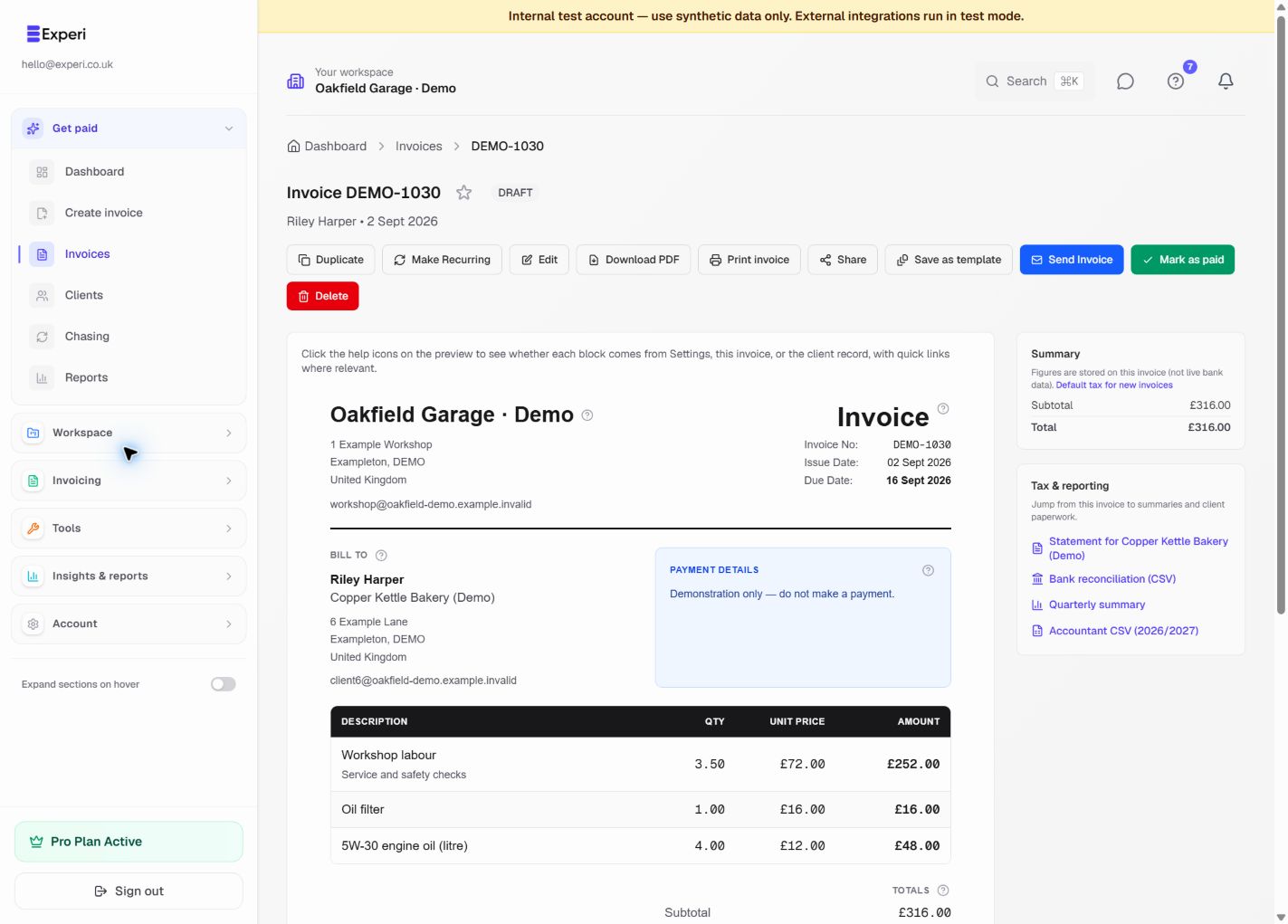
Your invoice, ready to review.
See the line items, payment details and amount due before you send. Reuse your services and parts, then download or print a customer copy when you need one.
Try the invoice preview without an account“I've been freelance for just over a year now and Experi has made invoicing so much easier. It's really simple to use, I can save all of my different clients in one place and creating invoices only takes a couple of minutes.”
Perfect For
Small-business invoicing features
Frequently Asked Questions
What does small-business invoicing software do?
It helps you create quotes and invoices, keep client records, track payment status and follow up when an invoice is due. Experi keeps those steps in one workflow without presenting itself as a full accounting or direct tax-filing package.
Is Experi really free for small businesses?
Yes. Free includes five invoices and five quotes as lifetime totals, three clients and three manual payment reminders. Pro is £9 per month for unlimited invoices and Pro-only workflow features.
Can I add my company logo and branding?
Custom invoice logos and colours are available on Pro. Both plans can create professional PDF invoices; Pro removes the Experi credit and adds your chosen branding.
How does automated payment chasing work?
Automated payment chasing is a Pro feature. After you approve account email access, you can configure a schedule around the invoice due date. Experi then sends the enabled reminders; you remain in control of the schedule and wording.
Do I need accounting software as well?
Experi is focused invoicing software, not a replacement for full bookkeeping or direct MTD filing. Use it alongside your accountant or accounting software when you need bookkeeping, statutory accounts or direct submissions. Data exports are available on Pro.
Is Experi suitable for VAT-registered businesses?
Experi supports standard-rate, reduced-rate, zero-rate, exempt and domestic reverse-charge VAT calculations. Add your VAT number and review the treatment before sending. VAT reporting and export are Pro features; Experi does not submit a VAT return for you.
Get Back to the Work You Love
Spend less time on invoicing and more time doing what you're great at.
No credit card required • Start invoicing in under 60 seconds