

You Freelance Because You Love the Work. Not the Admin.
Get paid faster and get back to the work you love. Professional invoices in seconds, automatic payment chasing, plus VAT, CIS, and late payment tools without the complexity.
Why Choose Experi?
Invoice in Minutes, Not Hours
Create beautiful, professional invoices in under 60 seconds. No complex setup, no learning curve - just simple, fast invoicing.
Look Professional From Day One
Custom branded invoices with your logo and colors. Show clients you mean business, even if you're just starting out.
Get Paid Faster
Automatic payment reminders mean you never have to awkwardly chase clients. Set it once and let Experi handle the rest.
From job to customer invoice
An invoice workflow for freelancers
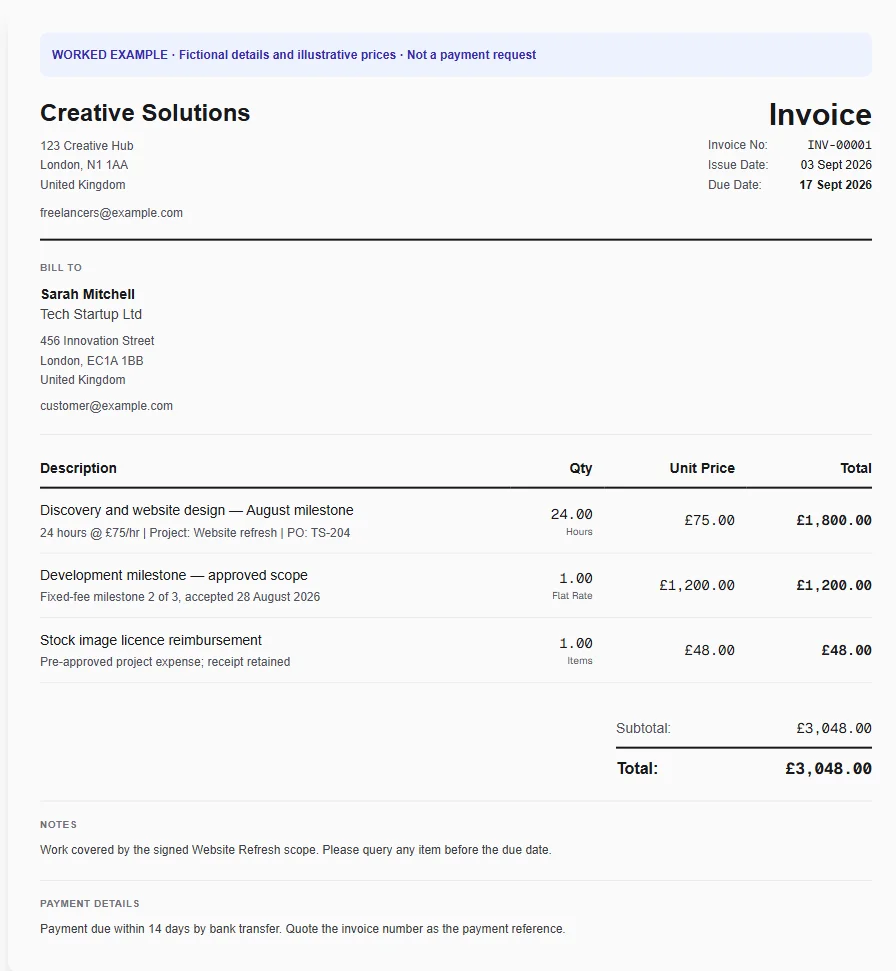
A freelance project combines tracked work, a fixed-fee deliverable and an agreed expense. Reference the contract or PO so the client's finance team can approve the invoice without asking what the work was for.
Choose hours or deliverables
Start with the freelancer template, then remove lines that do not fit the contract. A milestone should name the deliverable; hourly work should identify the period being billed.
Check your unbilled work
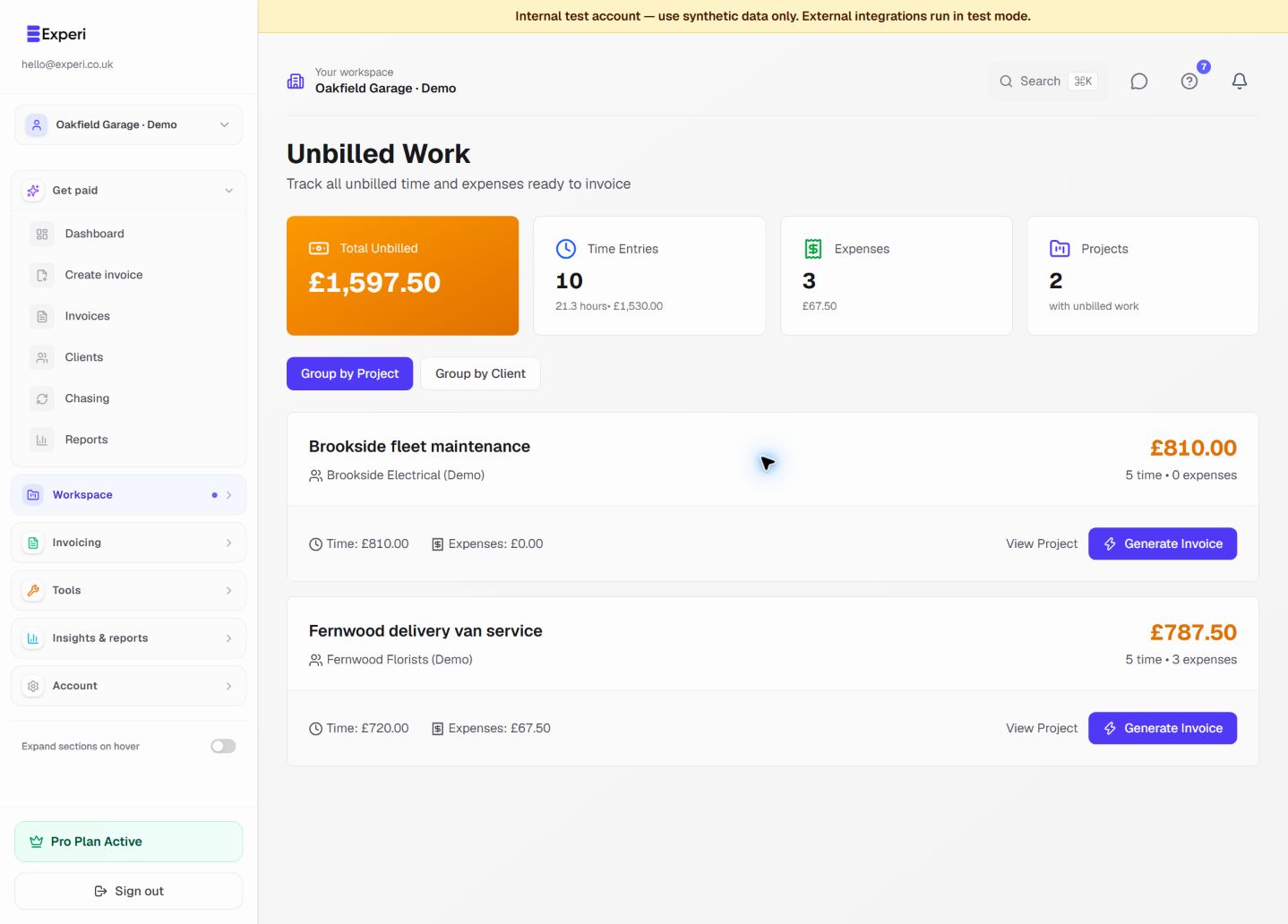
Review tracked time and expenses before preparing the invoice. If you use the Unbilled Work invoicing flow, do not add the same work again from a template.
Make approval straightforward
Put the PO and project reference where the client can find them, confirm payment terms and preview the invoice. Save the reusable structure for the next project, without copying the client.
Preselected, never automatically applied. Enter your own prices and review the client, dates and tax settings.
Before you invoice: Do not present illustrative rates as a recommended freelance rate or charge a fixed milestone and its included hours twice.
The tools behind this workflow
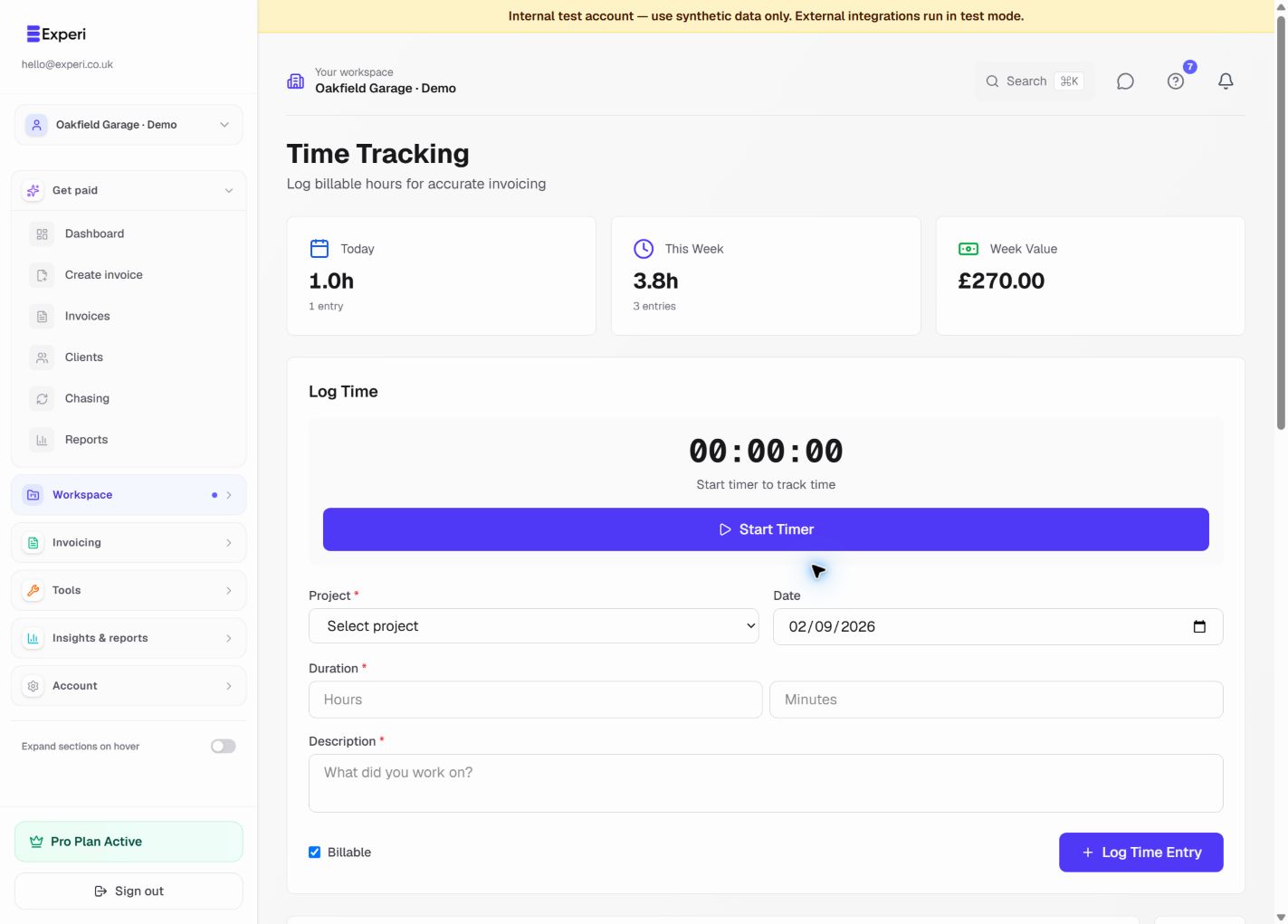
Explore the tools behind this workflow. Templates and inventory are free capabilities; document allowances apply. Time tracking, recurring invoices and automated chasing require Pro.
Perfect For
Key Features
Frequently Asked Questions
What makes Experi good for freelancers specifically?
Experi is designed for UK freelancers with features that matter most: simple time tracking, project organization, recurring invoices for retainer clients, and automated payment reminders. No enterprise bloat, no complicated features you'll never use - just the essentials done brilliantly.
Do I need to register as self-employed to use Experi?
You should register as self-employed with HMRC if you earn more than £1,000 from freelancing in a tax year. Experi works whether you're registered or not, but proper invoicing from day one makes tax time much easier.
How do I know what to charge as a freelancer?
Research industry rates for your skills and location. Consider your experience level, project complexity, and client budgets. Experi's time tracking helps you understand how long tasks actually take, so you can price accurately and profitably.
Should I invoice clients immediately or wait?
Invoice as soon as possible - ideally the same day you complete work or hit a project milestone. Studies show invoices sent promptly get paid 3x faster. With Experi, you can invoice in under 60 seconds.
What payment terms should freelancers use?
Most UK freelancers use 14 or 30-day payment terms. For new clients, consider shorter terms (7-14 days). For established clients or large companies, 30 days is standard. Always state your terms clearly on every invoice.
Do I need a separate business bank account?
While not legally required for sole traders, a separate account makes accounting much easier. It separates personal and business finances, simplifies tax returns, and looks more professional when clients pay you.
Can I use Experi if I have multiple clients?
Absolutely! Experi is perfect for managing multiple clients and projects. Track time per client, organize invoices by project, and see all your unbilled work in one dashboard. No limits on the number of clients.
What about retainer clients - can I automate their invoices?
Yes! Set up recurring invoices for retainer clients - weekly, monthly, or any schedule. Experi automatically generates and sends the invoice on schedule, so you never forget to bill regular clients.
Get Back to the Work You Love
Spend less time on invoicing and more time doing what you're great at.
No credit card required • Start invoicing in under 60 seconds