

UK contractor invoicing software
Contractor Invoicing Software for UK Contract Work
Turn an agreed day rate, fixed fee, milestone or expense into a professional invoice, then keep the payment status visible. Construction businesses can use the dedicated builders workflow for site and stage invoicing.
- 5 invoices total on Free
- 14-day Pro trial
- No account needed for the invoice editor
Quick answer
What does contractor invoicing software do?
It turns agreed contract work into a client invoice and keeps the balance visible afterwards. Experi supports day rates, fixed fees, milestones, expenses, client records and payment status—not payroll, contract administration, full bookkeeping or tax filing.
Step 1
Record the agreement
Start with the client, contract or PO reference, billing period and the agreed day rate, fixed fee or milestone.
Step 2
Issue a clear invoice
Describe the work and approved expenses, set the due date and review the client copy before sending or printing.
Step 3
Track and follow up
Record payments, see what is outstanding and use manual reminders—or scheduled reminders on Pro after email access is enabled.
Choose Experi for
- Day-rate, fixed-fee and milestone invoices
- Contract, PO and billing-period references
- Approved expense lines
- PDFs, printing and payment-status tracking
- Time, expense and project tracking on Pro
Use a specialist finance or contract system for
- Payroll or employment-status decisions
- Contract authoring, approval or compliance
- Full bookkeeping and statutory accounts
- Direct tax or VAT submissions
Working on a building site? See the dedicated construction invoice software page for site, stage, CIS and reverse-charge boundaries.
Free starter for contractors
£0/month
5 invoices and 5 quotes as lifetime totals, up to 3 clients and 3 manual reminders.
Pro
£9/month
Start with a 14-day trial. Pro adds unlimited invoices and clients, time and expense tracking, projects, scheduled reminders, recurring invoices and branding.
Check current UK rules on required invoice fields. Check the latest guidance for the actual job.
A clearer contractor invoice workflow
Match the Contract
State the client, contract or PO reference, billing period and agreed basis—day rate, fixed fee or milestone.
Keep Expenses Clear
Add approved expenses as separate lines so the customer can see what work and costs the invoice covers.
Track the Balance
Keep saved invoices and clients together, record payments and see which balances are awaiting payment or overdue.
Inside Experi
Your invoice, ready to review.
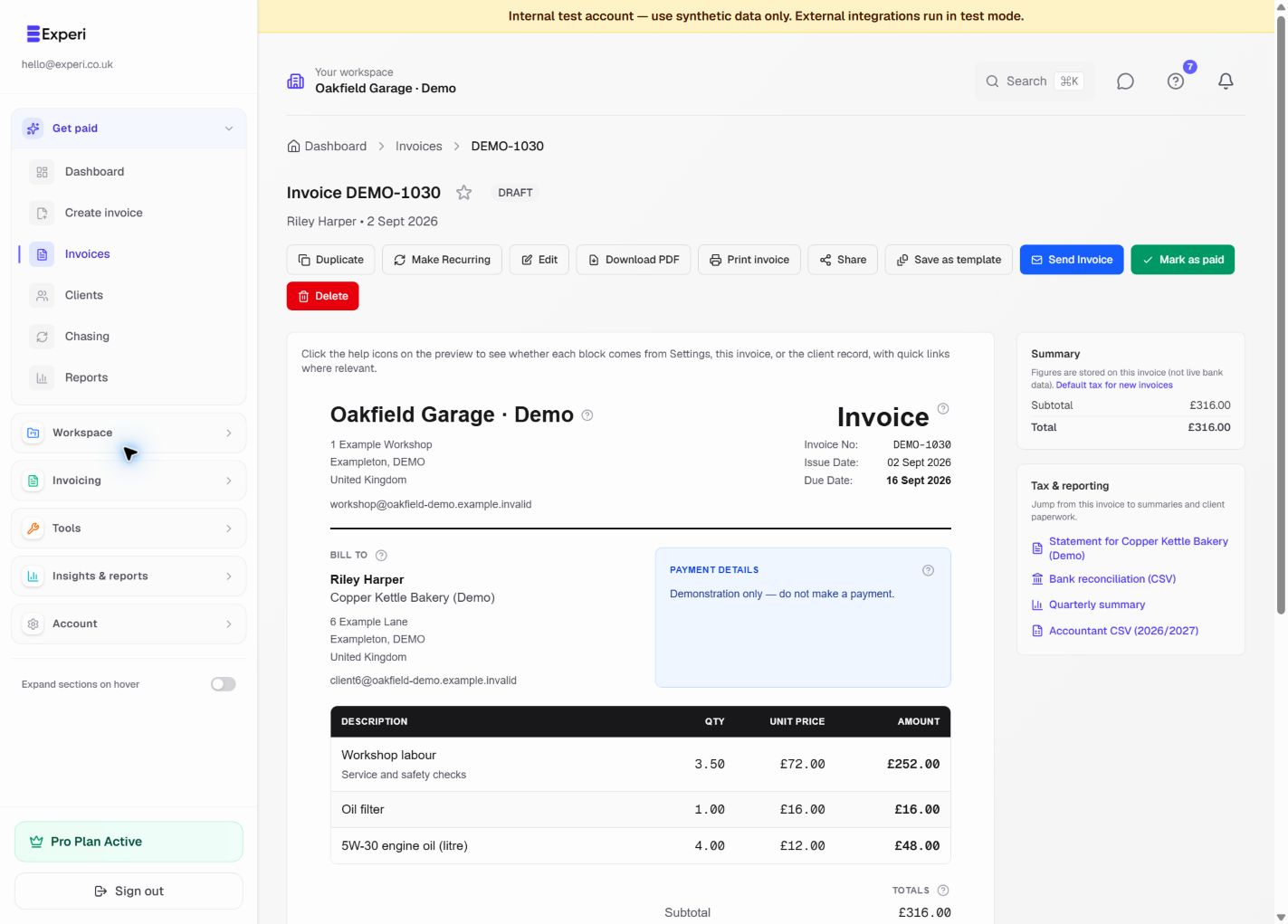
See the line items, payment details and amount due before you send. Reuse your services and parts, then download or print a customer copy when you need one.
Try the invoice preview without an account“I've been freelance for just over a year now and Experi has made invoicing so much easier. It's really simple to use, I can save all of my different clients in one place and creating invoices only takes a couple of minutes.”
Contract work you can invoice
Contractor invoicing features and plan access
Contractor invoicing software questions
What does contractor invoicing software do?
It helps an independent contractor turn agreed work into a client invoice, reuse client details and keep track of the amount due. Experi focuses on quotes, invoices and payment status; it is not full bookkeeping, payroll, tax-filing or contract-management software.
Can I create a contractor invoice without an account?
Yes. Use Experi's browser invoice editor to enter your details and contract work, then download or print the invoice without creating an account. Create an account when you want to save clients and invoices or track payment status.
What should a contractor invoice include?
Alongside the information required on a UK invoice, include the contract or purchase-order reference when the client requires it, the billing period, a clear description of the work, the agreed rate or milestone, approved expenses and the payment due date.
Can I invoice a day rate, fixed fee or milestone?
Yes. Use quantity and rate for day-rate work, a single clear line for an agreed fixed fee, or identify the completed milestone and contract reference. Review the invoice against the agreement before issuing it.
Is this page for construction contractors?
The contractor workflow is aimed at independent professional and project-based work. Builders and construction subcontractors should use Experi's construction invoice software page, which explains site, stage, CIS and domestic VAT reverse-charge boundaries.
Is Experi accounting software for contractors?
No. Experi is focused invoicing and operational business software. Use an accountant or compatible accounting package for full bookkeeping, statutory accounts and direct tax submissions; Experi can sit alongside it for client invoicing.
Create your next contractor invoice
Open the free editor, add the contract work and client details, then review the invoice before you download or print it.
No account needed for the invoice editor · Free account allowances apply when saving