

Invoicing That Meets Ltd Company Standards
Running a limited company means getting the details right: registered company name, company number, registered office, and VAT details. Experi helps you include them so you can focus on client work.
Why Choose Experi?
Company Details on Every Invoice
Set your company name, registration number, registered office, and VAT number so they appear consistently on your invoices.
VAT-Ready Invoicing
Whether you're on Standard, Flat Rate, or not yet VAT-registered, Experi calculates and displays VAT correctly on every invoice. Export VAT summaries when it's time for your quarterly return.
Protect Your Cash Flow
Late payments hurt Ltd companies harder - you still have Corporation Tax, PAYE, and dividends to manage. Automatic payment reminders and late payment interest help you get paid on time.
Inside Experi
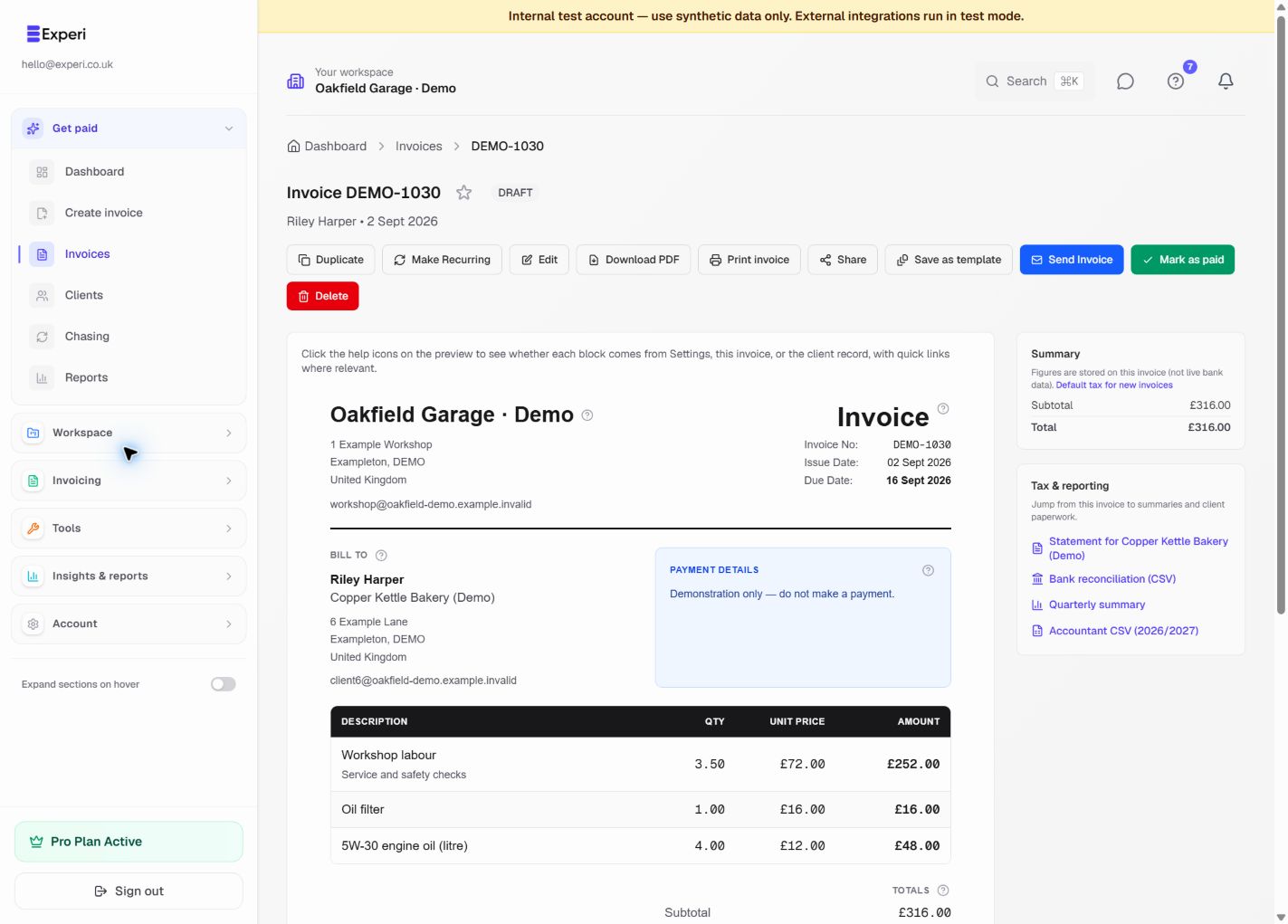
Your invoice, ready to review.
See the line items, payment details and amount due before you send. Reuse your services and parts, then download or print a customer copy when you need one.
Try the invoice preview without an account“I've been freelance for just over a year now and Experi has made invoicing so much easier. It's really simple to use, I can save all of my different clients in one place and creating invoices only takes a couple of minutes.”
Perfect For
Key Features
Frequently Asked Questions
What information must a Ltd company include on invoices?
UK law requires limited companies to show: your full registered company name (as it appears at Companies House), company registration number, registered office address, and place of registration (England & Wales, Scotland, etc.). If VAT-registered, you must also include your VAT number.
How does Experi handle VAT for limited companies?
Experi supports both Standard Rate (20%) and Flat Rate VAT schemes. It calculates VAT on each invoice line item, displays the VAT details, and lets you export VAT summaries for your accountant or filing software. Experi does not submit VAT returns to HMRC.
Can I use Experi for dividend vouchers or director's loans?
Experi is focused on client invoicing - sales invoices, credit notes, and quotes. For dividend vouchers, director's loan records, and internal company documents, you'll want to use your accounting software alongside Experi.
Does Experi integrate with my accountant's software?
Experi lets you export all your invoice data in formats your accountant can work with. While we don't directly integrate with accounting packages, the clean export makes handover straightforward.
Get Back to the Work You Love
Spend less time on invoicing and more time doing what you're great at.
No credit card required • Start invoicing in under 60 seconds