

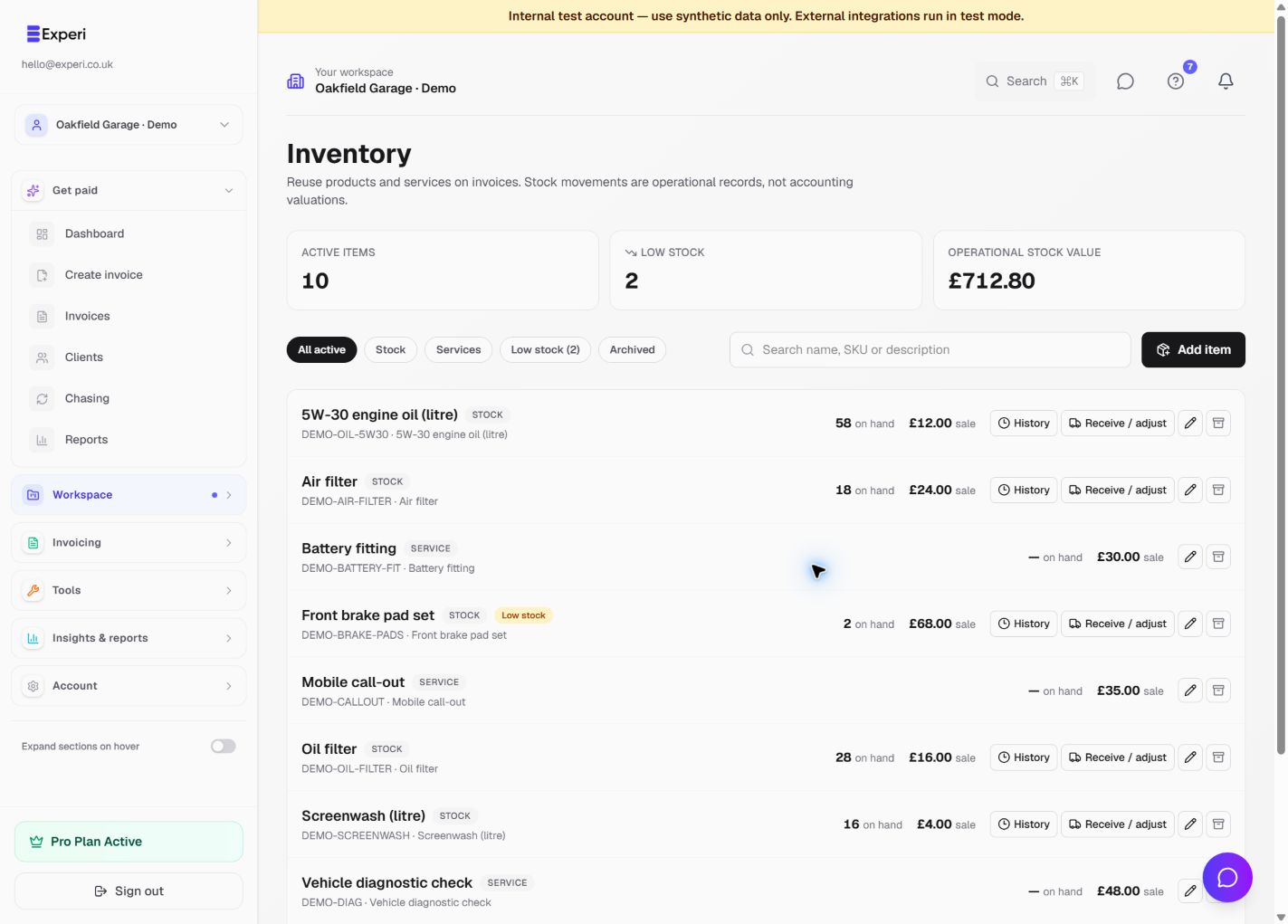
Inventory is optional and included on Free and Pro. Free invoice allowances still apply. Open Inventory from the full sidebar or Explore. It is not added to the simplified new-user navigation. Check the selected workspace first.
Add a product or service
Choose Add item and enter the name, sales description, unit and selling price. A SKU helps distinguish similar items. Choose a stock product for physical parts or a service for labour and other work that has no quantity on hand.
Stock products can have a default cost, opening quantity and low-stock threshold. Enter the actual opening count; subsequent changes are recorded as movements. Owners, admins and members can manage inventory. Viewers and accountants can review it without changing it.
Recall items on an invoice
Choose Add from inventory beside the line-item action. Search by name, SKU or description, select one or several items and enter quantities. You can also create a new item from the picker. Check prices and descriptions before saving.
Invoices retain a snapshot of the description, unit and price. Editing or archiving an item does not rewrite previous invoices or saved template text. Archived items are not offered as active items; restore an item from the Archived filter when appropriate.
When stock changes
Only linked stock products deduct quantity. An unlinked line that happens to use the same name does not affect stock. Services never deduct stock.
Stock is deducted once when a draft is first successfully sent, or deliberately issued with Issue & print. Creating or editing a draft, downloading a PDF, printing a draft, resending or reprinting an issued invoice does not deduct again. Existing invoices are not retroactively linked to inventory.
The app checks stock before issue. If a quantity would go negative, it shows a warning and lets you confirm. A negative count is allowed as an operational record; check whether a receipt or adjustment is missing. Do not treat a warning as proof that the physical part is available.
What inventory does not do
Estimated stock value is quantity on hand × default cost. It is an operational estimate, not an accounting valuation or COGS journal. Inventory does not automatically receive stock from supplier Bills, restore stock from credit notes, or provide purchase orders, warehouses, barcode scanning or CSV inventory import.
Use receipts, adjustments and returns for stock changes and History to review movements.