

Give Your Clients a Professional Payment Hub
Each client gets a branded page showing everything they need - outstanding invoices, payment history, active quotes and agreements. Optional password and one-time links for extra peace of mind.
Enable Client PortalSelf-Service for Your Clients
Client Portal creates a secure, branded page for each client. They can see outstanding invoices, payment history, active quotes, and agreements - all without creating an account. Every view includes your business branding and the 'Powered by Experi' footer.
See the workflow in Experi
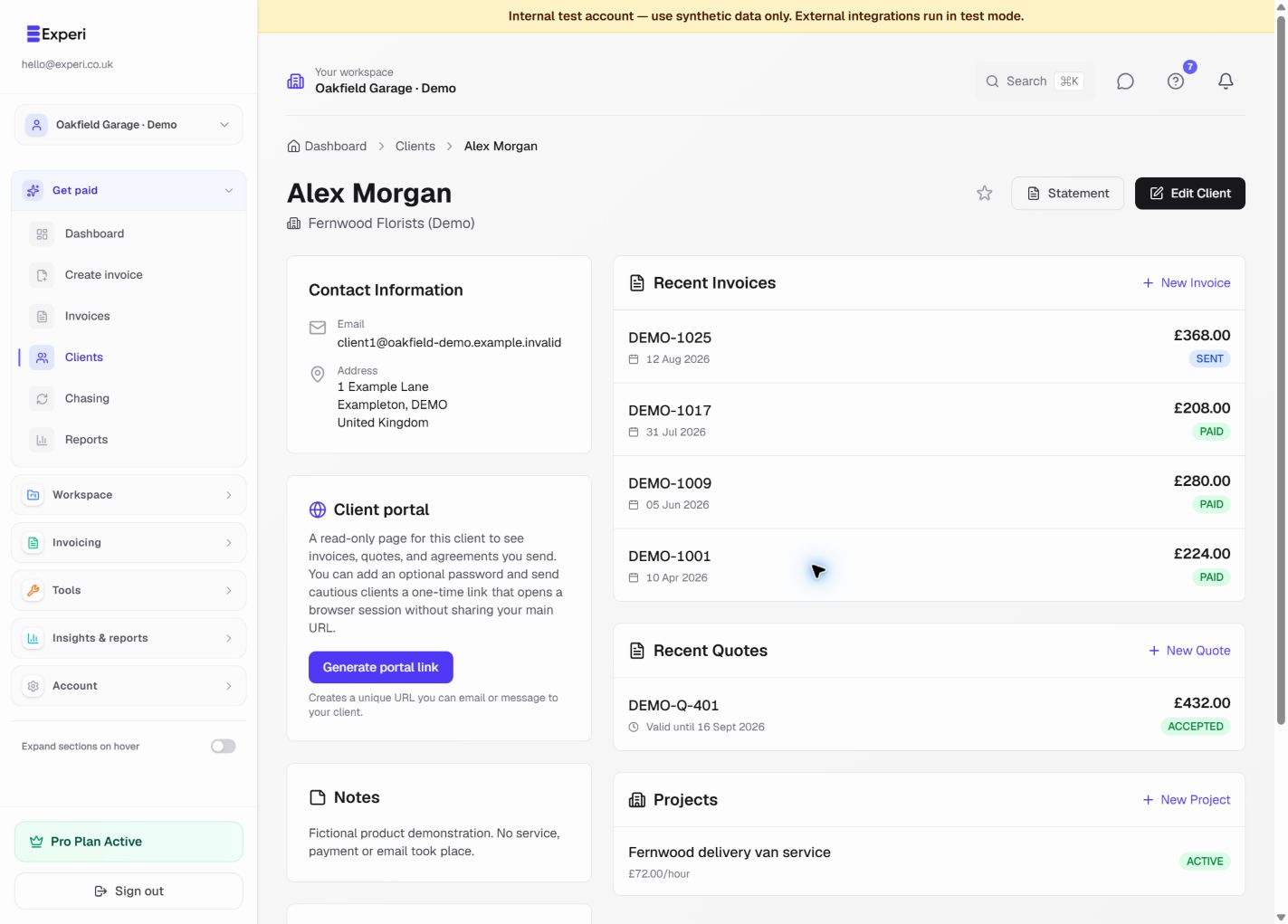
Use a consistent client record, control private portal links and review service-agreement scope before requesting acceptance.
Free client allowance; Pro portal and agreement tools
Key Benefits
Flexible access
Long random URLs by default. Add an optional portal password, or send a one-time link that opens a session without exposing your main bookmarkable URL.
Outstanding at a Glance
Clients see exactly what they owe, what's overdue, and their payment history.
Quotes & Agreements
Active quotes and service agreements are visible alongside invoices for a complete picture.
Your Brand, Their Experience
The portal shows your business name and branding. Every view is a professional touchpoint.
How It Works
Enable Portal
Open any client, then in the Client portal section click 'Generate portal link' to create their unique URL.
Share the Link
Send the portal URL, or generate a one-time link for cautious clients. Optionally set a portal password they enter once per browser.
Client Self-Service
Your client sees their invoices, quotes, and agreements in one place. Reduce 'I didn't get the invoice' excuses.
Frequently Asked Questions
Is the portal secure?
Each client gets a unique, long random URL. You can add an optional portal password (stored as a bcrypt hash only), send a single-use invite link, and revoke the portal at any time from the client page.
Can clients make payments through the portal?
If you have Autopilot enabled, clients can pay directly through their invoices. The portal provides a hub for everything in one place.
Ready to Try This Feature?
Start using Experi today. All features available to try risk-free.
No credit card required • Start invoicing in under 60 seconds