

Let Your Agent Handle the Invoice Admin
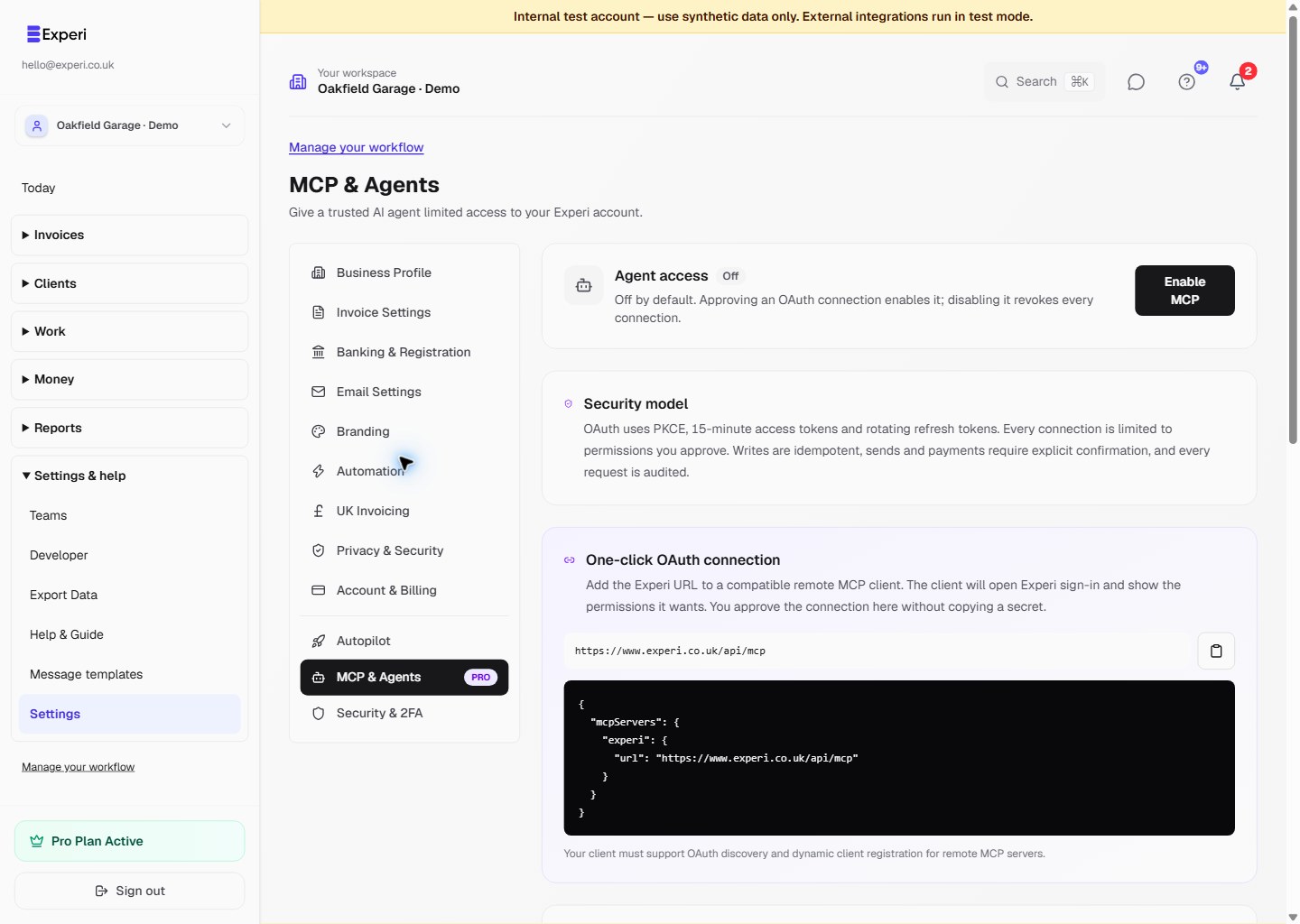
Connect a compatible AI agent to your Experi account with only the permissions you choose. MCP stays off until you enable it, and every request is audited.
Try MCP with ProUseful Agent Actions, With Boundaries You Control
Experi's remote MCP server gives agents structured tools for reporting, clients and invoices. Compatible clients connect through OAuth with PKCE, short-lived access tokens and rotating refresh tokens. Manual scoped credentials remain available. Sending an invoice or recording a payment requires an explicit confirmation in the tool call.
See the workflow in Experi
Approve a compatible AI agent through Experi, choose the work it may do and revoke access without sharing your password.
Pro; off by default until an owner approves a connection
Key Benefits
Choose Exact Permissions
Grant reporting, client, invoice, sending and payment permissions separately. Tools outside the credential's scope are not exposed to the agent.
Prevent Duplicate Actions
Agent writes use durable idempotency keys, so a retry cannot silently create a second client, draft, email or payment record.
Review Every Request
Experi keeps an append-only activity record of protocol requests, attempted actions, successes, denials and failures.
How It Works
Add Experi
Add Experi's remote MCP endpoint to a compatible client. It opens Experi sign-in and the permission screen automatically.
Approve Limited Access
Review the client name and clear any permission it does not need. Approving enables MCP; no Experi password or copied token is shared with the client.
Review Before Changes
Your agent can read the information you allowed. Creating drafts, sending invoices and recording payments require explicit confirmation, and the normal Experi email safeguards still apply.
Monitor or Disconnect
Review recent agent activity in Settings. Disconnect one app at any time, or disable MCP to revoke every OAuth connection and manual credential immediately.
Perfect For
Pro, opt-in
MCP agent access is included with Pro and stays off until the account owner enables it or approves an OAuth connection. Compatible OAuth clients connect without copying a secret; manual credentials are available as a fallback.
View Pricing DetailsFrequently Asked Questions
Can an agent use my Experi password?
No. OAuth keeps your Experi sign-in inside Experi and gives the client limited tokens. Manual credentials are separate and stored only as one-way hashes.
Does it work with every AI agent?
It works with remote MCP clients that support OAuth discovery and dynamic client registration. Clients that can set a custom Bearer Authorization header can use the manual credential option.
Can an agent send an invoice without approval?
The send tool requires an explicit confirmation field and a dedicated sending permission. You should also use an agent that asks you to review the recipient and content immediately before calling the tool.
What happens when I disable MCP?
All OAuth connections and manual credentials are revoked immediately. Enabling MCP again does not restore them; reconnect the apps you still trust.
Ready to Try This Feature?
Start using Experi today. All features available to try risk-free.
No credit card required • Start invoicing in under 60 seconds