

Project Billing from Estimate to Invoice.
Group all the time, expenses, and invoices for a project in one place. Know exactly what's been billed, what's outstanding, and what's still unearned - without juggling spreadsheets.
Manage Projects FreeOne Project. Everything in One Place.
Create a project, assign it to a client, and track all time and expenses against it. When it's time to invoice, Experi shows you everything unbilled so you can select what to charge and create the invoice in one click.
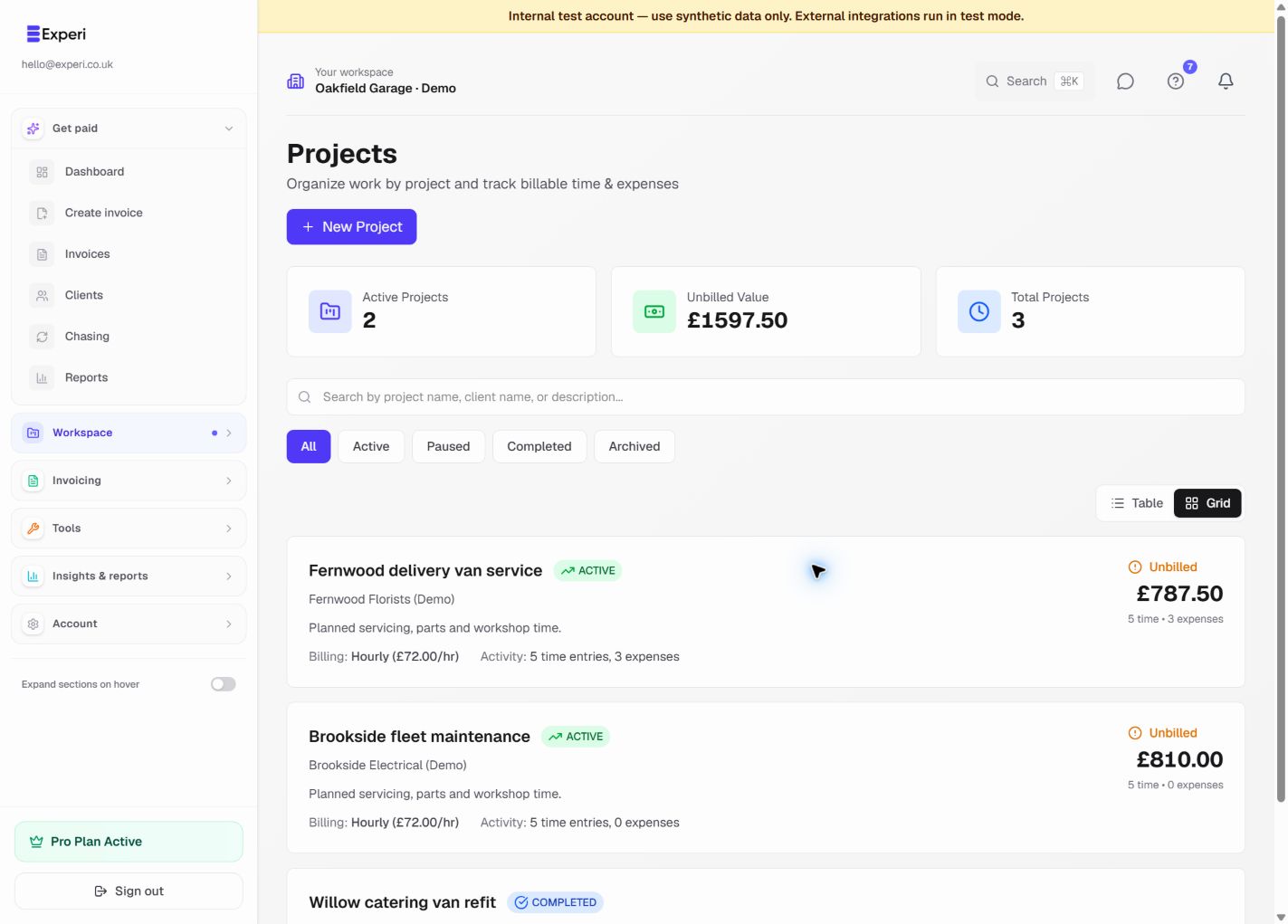
See the workflow in Experi
Track billable work against a client project, review what remains unbilled and avoid charging for the same entry twice.
Pro
Key Benefits
All Work Linked to a Project
Time entries, expenses, quotes, and invoices are all linked to the project. One view shows you the full picture - what's been done, what's been invoiced, and what's owed.
See Unbilled Work at a Glance
The unbilled work hub shows every hour and expense that hasn't been invoiced yet. Select what to bill and create the invoice without leaving the project.
Project Profitability
Compare what you estimated with what you actually spent and billed. Understand which projects are profitable - and which are not.
How It Works
Create a Project
Name your project, assign a client, and optionally set a budget or quote value. Link an accepted quote if you have one.
Track Work Against the Project
Log time and expenses directly against the project as the work progresses. Everything stays organised in one place.
Invoice from the Project
When ready to bill, go to the project's unbilled work. Select entries to invoice and Experi creates a detailed, itemised invoice automatically.
Perfect For
Pro
Projects are a Pro feature. Start your 14-day free trial - no credit card needed.
View Pricing DetailsFrequently Asked Questions
Can I invoice a project in stages?
Yes. You can invoice selected time entries or expenses at any point in the project lifecycle. Deposit invoices, milestone invoices, and final invoices are all supported.
Can I link a quote to a project?
Yes. If you sent a quote and it was accepted, you can link it to the project. The project can also be set up directly from an accepted quote.
What happens to time tracked before a project was created?
You can assign existing time entries to a project retroactively. No work is lost.
Ready to Try This Feature?
Start using Experi today. All features available to try risk-free.
No credit card required • Start invoicing in under 60 seconds