

From Quote to Invoice in One Click
Stop copying information from quotes to invoices. When your client accepts a quote, convert it to an invoice instantly. All details carried over automatically. No mistakes, no duplicate work.
Start Quoting SmarterSeamless Quote-to-Invoice Workflow
Create professional quotes, track client responses, and convert accepted quotes to invoices instantly. Everything synced, nothing duplicated.
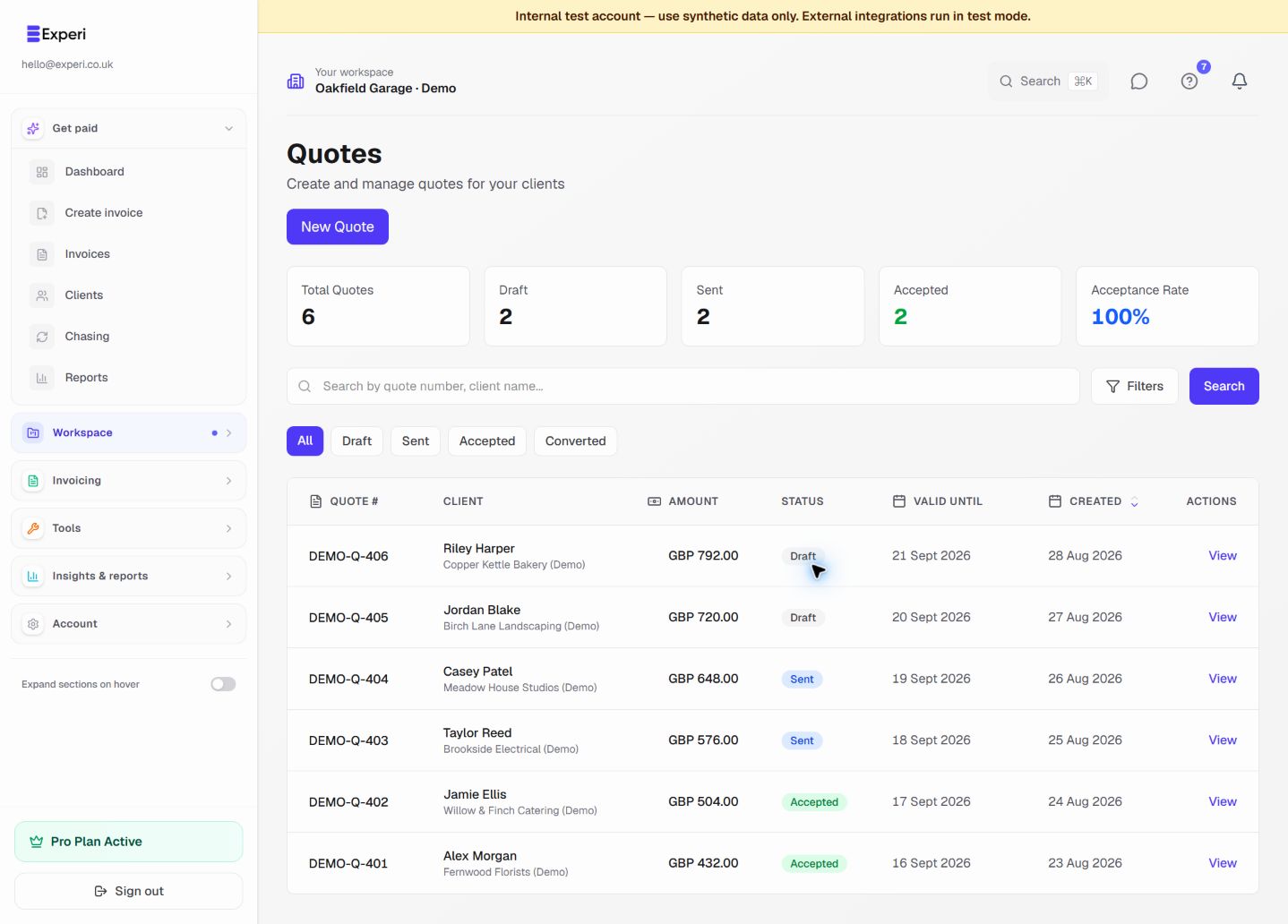
See the workflow in Experi
Prepare a clear estimate, follow its acceptance and convert agreed work without treating a quote as payment.
Free quote allowance; Pro for unrestricted core quoting
Key Benefits
Zero Duplicate Work
Quote accepted? Convert to invoice in one click. All line items, pricing, and client details carried over automatically. No copy-paste, no errors.
Track Quote Status
See which quotes are sent, viewed, accepted, or declined. Know exactly where you stand with every potential client.
Professional Impression
Clients love the smooth workflow. Quote looks professional, invoice matches perfectly. Shows you run a tight ship.
How It Works
Create a Quote
Add client details, line items, pricing, and terms. Generate a professional PDF quote to send to your client.
Client Reviews & Accepts
Client receives quote, reviews pricing and scope. When they're ready, they accept it (or you mark it accepted).
Convert to Invoice
Click 'Convert to Invoice'. All details transfer automatically. Edit if needed, then send. Work begins, you get paid.
Perfect For
Free & Pro Plans
5 quotes on the Free plan. Pro plan adds unlimited quotes, quote tracking, and automatic reminders.
View Pricing DetailsFrequently Asked Questions
What's the difference between a quote and an invoice?
A quote is an estimate given before work starts. An invoice is a payment request after work is completed. Experi handles both and lets you convert quotes to invoices seamlessly.
Can I edit details when converting a quote to an invoice?
Yes. The quote details pre-fill the invoice, but you can edit anything before sending. Perfect if scope changed slightly during the project.
Do quotes expire?
You can set an expiry date on quotes. After that date, clients see that the quote has expired (though you can still accept it manually if you choose).
Can clients accept quotes online?
Yes! Send clients a shareable link where they can view and accept quotes online. You get notified instantly and can convert to invoice immediately.
Ready to Try This Feature?
Start using Experi today. All features available to try risk-free.
No credit card required • Start invoicing in under 60 seconds