

Track Billable Hours. Invoice from Real Work.
Stop guessing how long a project took. Log time as you work, see exactly what you've earned, and convert tracked hours into a professional invoice in seconds.
Start Tracking Time FreeFrom Hours Worked to Invoice Sent - in One Click
Experi's time tracker lets you log hours against any client or project. When it's time to bill, select the time entries you want to invoice and Experi creates the line items automatically. No spreadsheets, no manual calculations, no guessing.
See the workflow in Experi
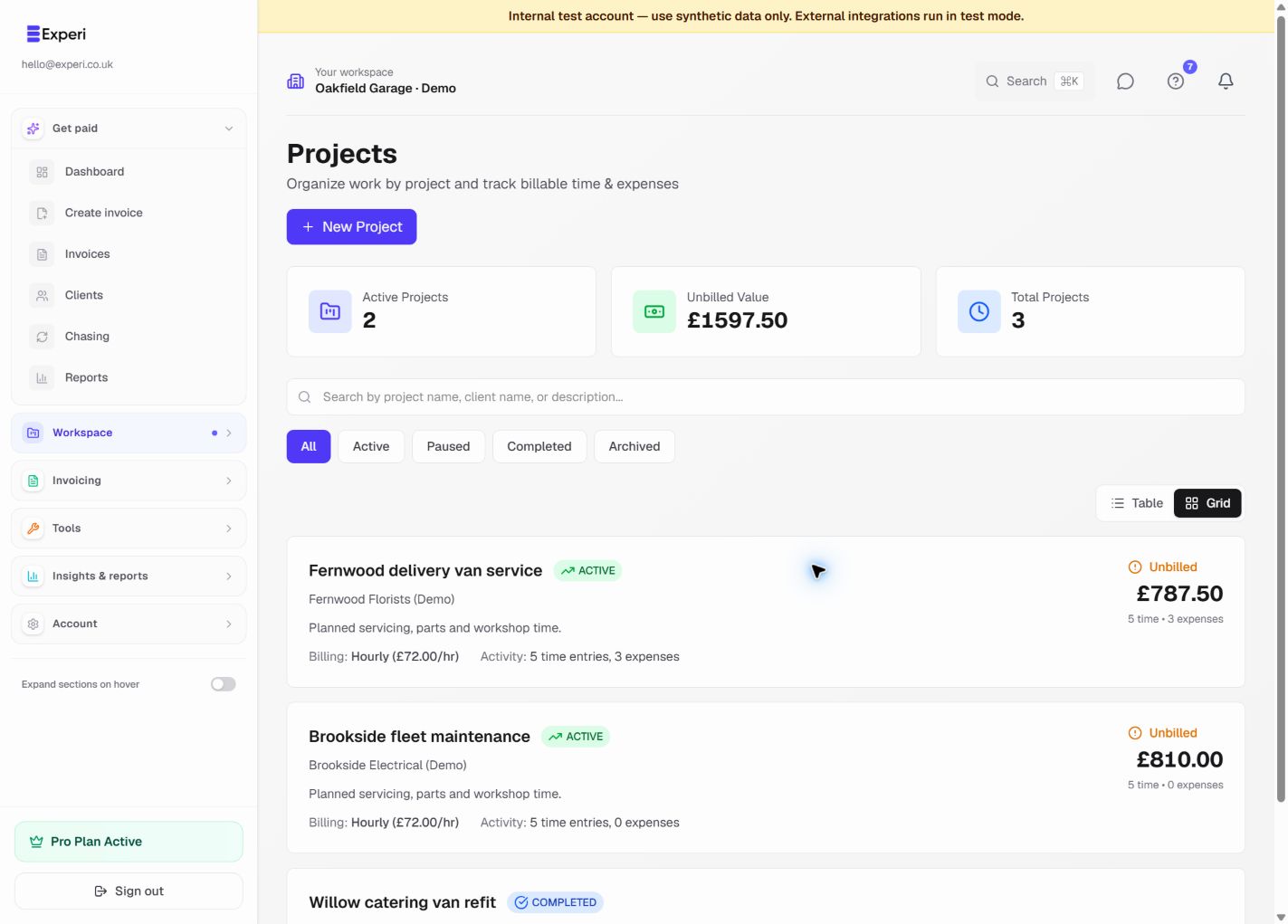
Track billable work against a client project, review what remains unbilled and avoid charging for the same entry twice.
Pro
Key Benefits
Log Time as You Work
Start and stop a timer from anywhere in Experi. Log time manually or use the live timer. Add a description to each entry so your invoice makes sense to the client.
Never Leave Billable Hours Behind
All uninvoiced time shows up in one place. Select what to bill, choose a client, and the invoice is created with every line item filled in. Nothing slips through.
Transparent Client Invoices
Show clients exactly what you billed for. Itemised time entries, hourly rate, and totals - automatically formatted into a professional invoice.
How It Works
Log Your Hours
Use the timer or log time manually. Assign each entry to a client, project, and hourly rate. Add a description of the work done.
Review Unbilled Time
When you're ready to invoice, go to the unbilled work hub. See all uninvoiced time entries across every client and project.
Convert to Invoice
Select the entries you want to bill and click 'Create Invoice'. Experi builds the invoice automatically with each time entry as a line item.
Perfect For
Pro
Time tracking is a Pro feature. Upgrade from £9/month and start your 14-day free trial today.
View Pricing DetailsFrequently Asked Questions
Can I set different rates for different clients?
Yes. You can set a default hourly rate per client, and override it for individual time entries if needed.
What if I forget to start the timer?
No problem. You can log time manually at any time - just enter the duration and description. The timer is there for convenience, not a requirement.
Can I see all my unbilled time in one place?
Yes. The unbilled work hub shows every uninvoiced time entry across all clients and projects, so nothing falls through the cracks.
Ready to Try This Feature?
Start using Experi today. All features available to try risk-free.
No credit card required • Start invoicing in under 60 seconds