

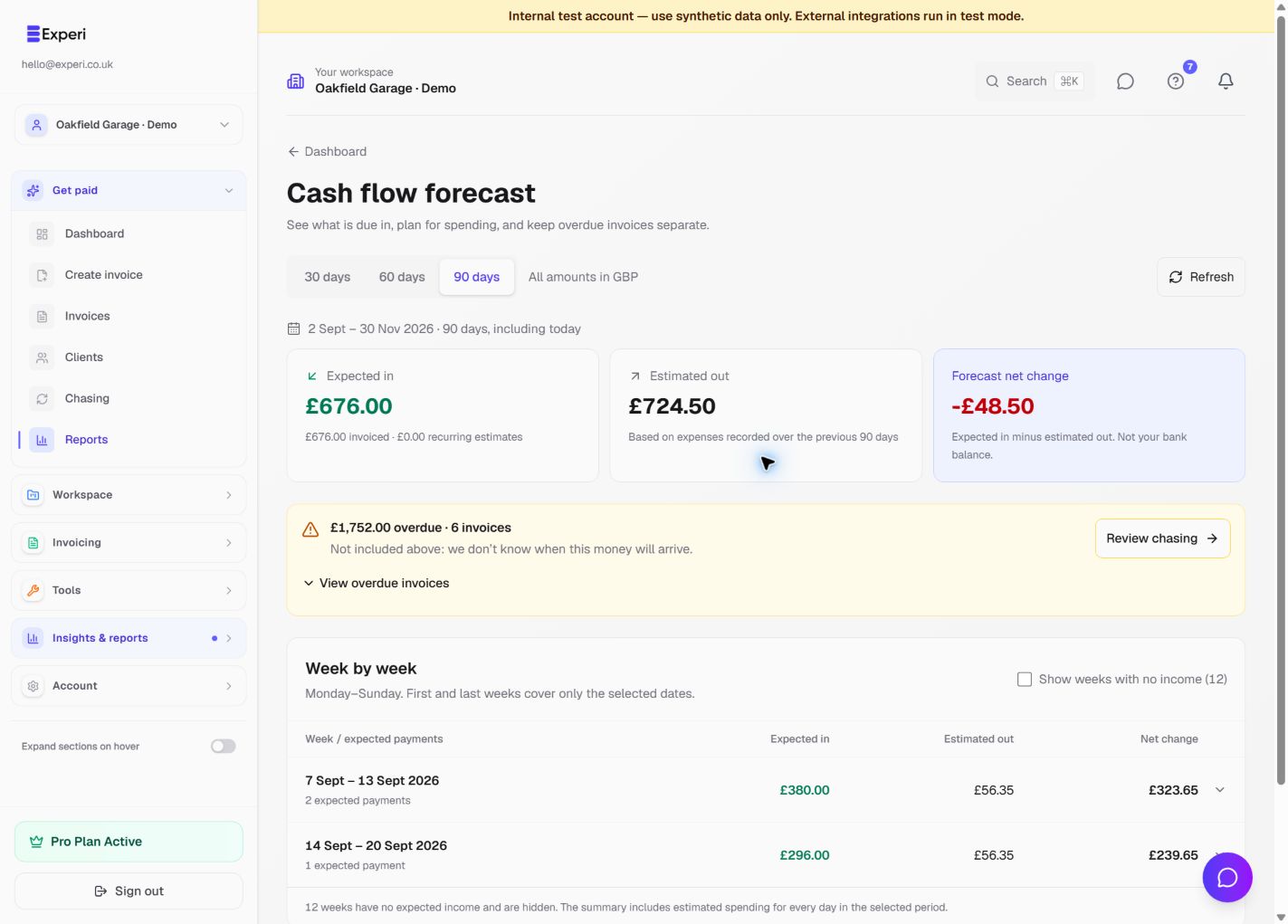
Select the correct workspace, then open Reports → Cash Flow. Choose 30, 60 or 90 days and, where offered, a currency. The period includes today and shows its exact date range. Different currencies are not added together or converted.
Read the three summary figures
- Expected in includes remaining unpaid balances on sent invoices due in the period, plus eligible future recurring estimates.
- Estimated out uses the average of expenses recorded over the previous 90 days, spread across the forecast period. It is not a list of supplier bills due for payment.
- Forecast net change is expected in minus estimated out. It is not your bank balance.
Overdue balances are shown separately and excluded from expected income because their arrival date is unknown. Expand them or choose Review chasing. They are not assumed to arrive this week.
Understand the weeks
Weeks run Monday–Sunday using the UK reporting day. The first and last weeks cover only the selected dates and may be partial weeks. Expand a dated week to see expected invoice payments and recurring estimates.
Use Show weeks with no income to reveal quiet weeks. Hiding a week does not remove its estimated spending from the period totals.
Know the limits
Recurring estimates are not yet-issued invoices or guaranteed payments. Their expected payment dates use the configured payment terms. Paid invoices and drafts do not contribute to expected income, and missed recurring schedules are not projected as future payments.
The forecast does not include an opening bank balance, Other Sales, future supplier bills or unrecorded spending. No expense history does not mean there will be no spending. Open How this forecast works for the source period and calculation notes, and Refresh after changing records.