

Make Your Own Practice Billing Easier
Keep bookkeeping periods, accounts work and advisory fees clearly itemised. Reuse the services you bill for, then review each client invoice before issuing it.
Why Choose Experi?
Name the period
Use invoice and line notes to identify the entity, engagement and year or month being billed.
Reuse standard fees
Save bookkeeping and accounts services with your descriptions and prices, ready for the next invoice.
Keep extras separate
Distinguish agreed monthly work from additional advice and out-of-scope tasks before sending.
From job to customer invoice
An invoice workflow for accountants and bookkeepers
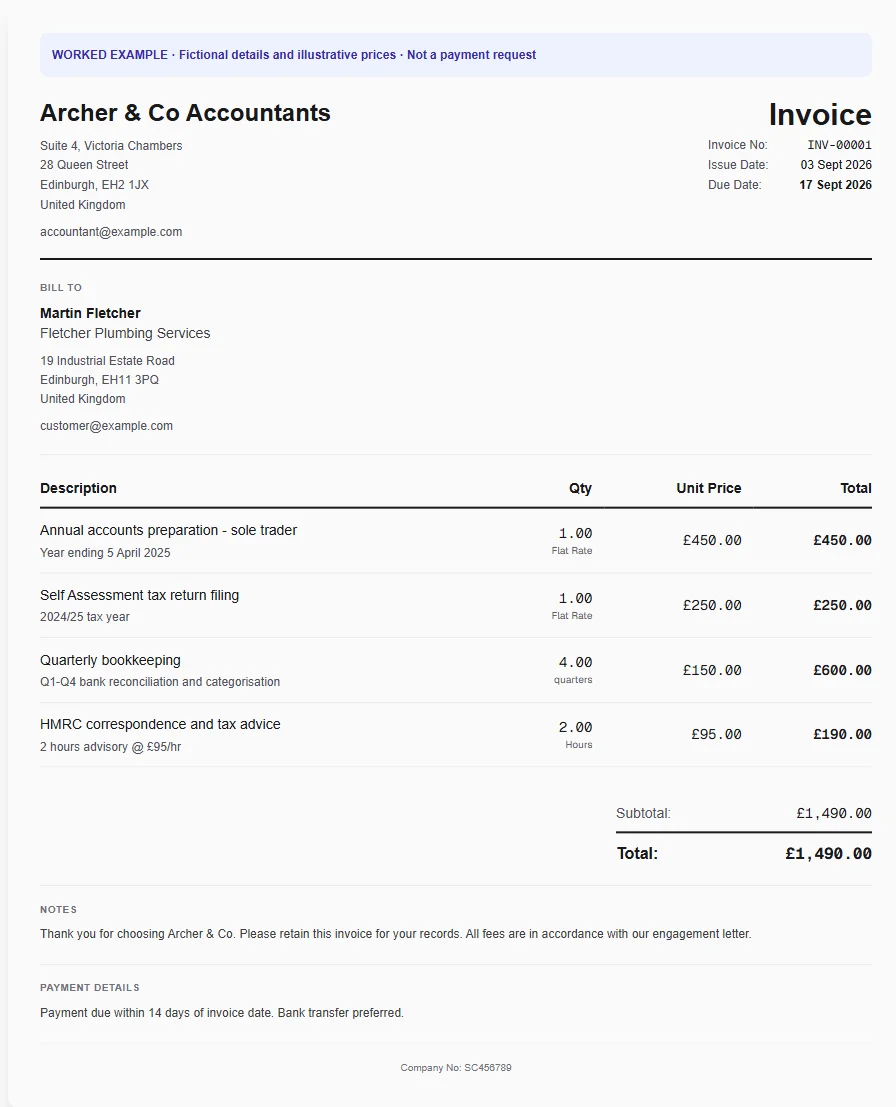
A practice bills a bookkeeping period alongside a separately agreed accounts-preparation task. Identify the period and service without exposing tax identifiers or implying a return has been filed just because it has been invoiced.
Identify the service period
Apply the accountant template and replace the example year with the actual period. Describe whether the charge is for preparation, review, bookkeeping or advice.
Reuse your fee schedule
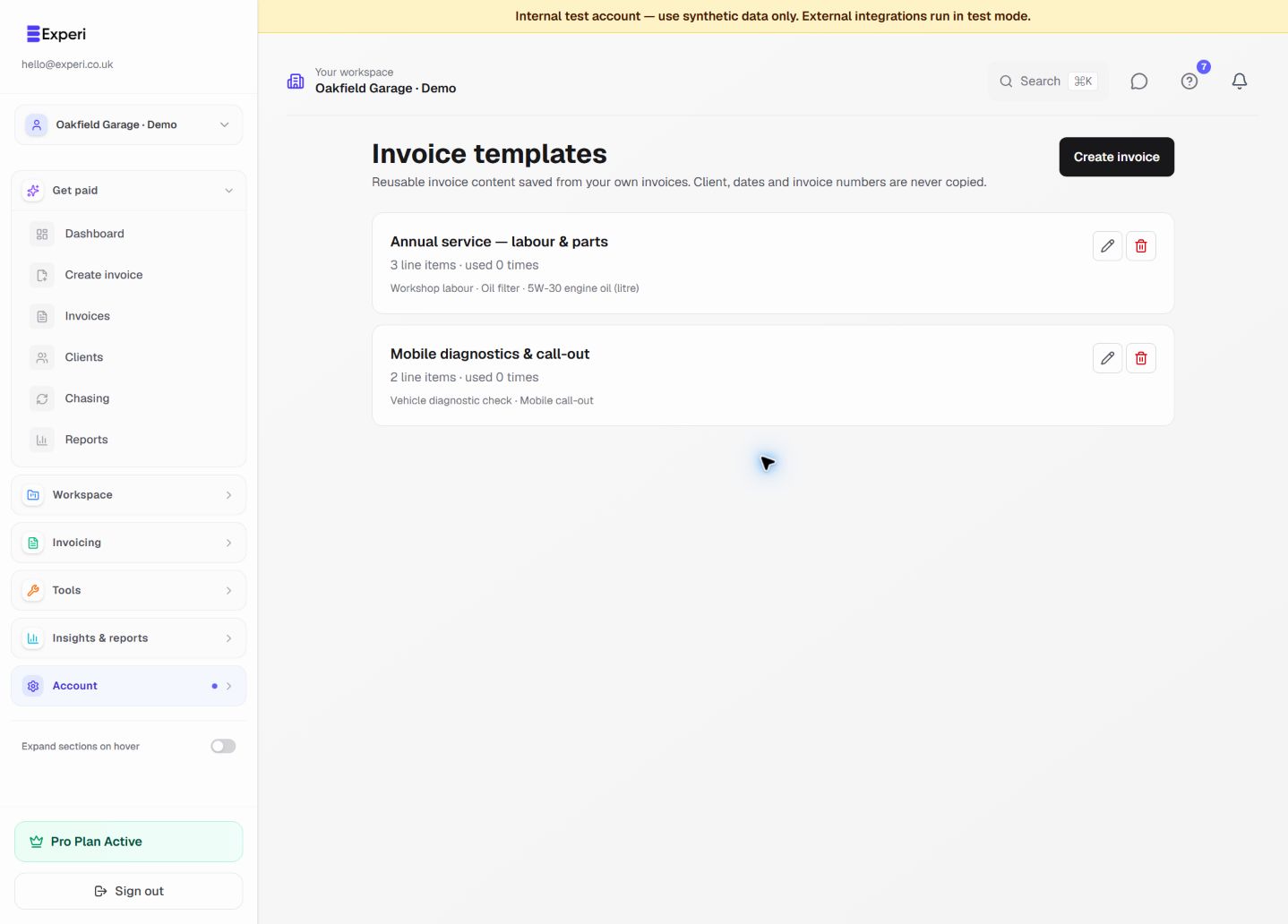
Store recurring bookkeeping and standard accounts services in Inventory. Save a reusable invoice template for common engagements, leaving each client and period to the new invoice.
Review the repeating charge
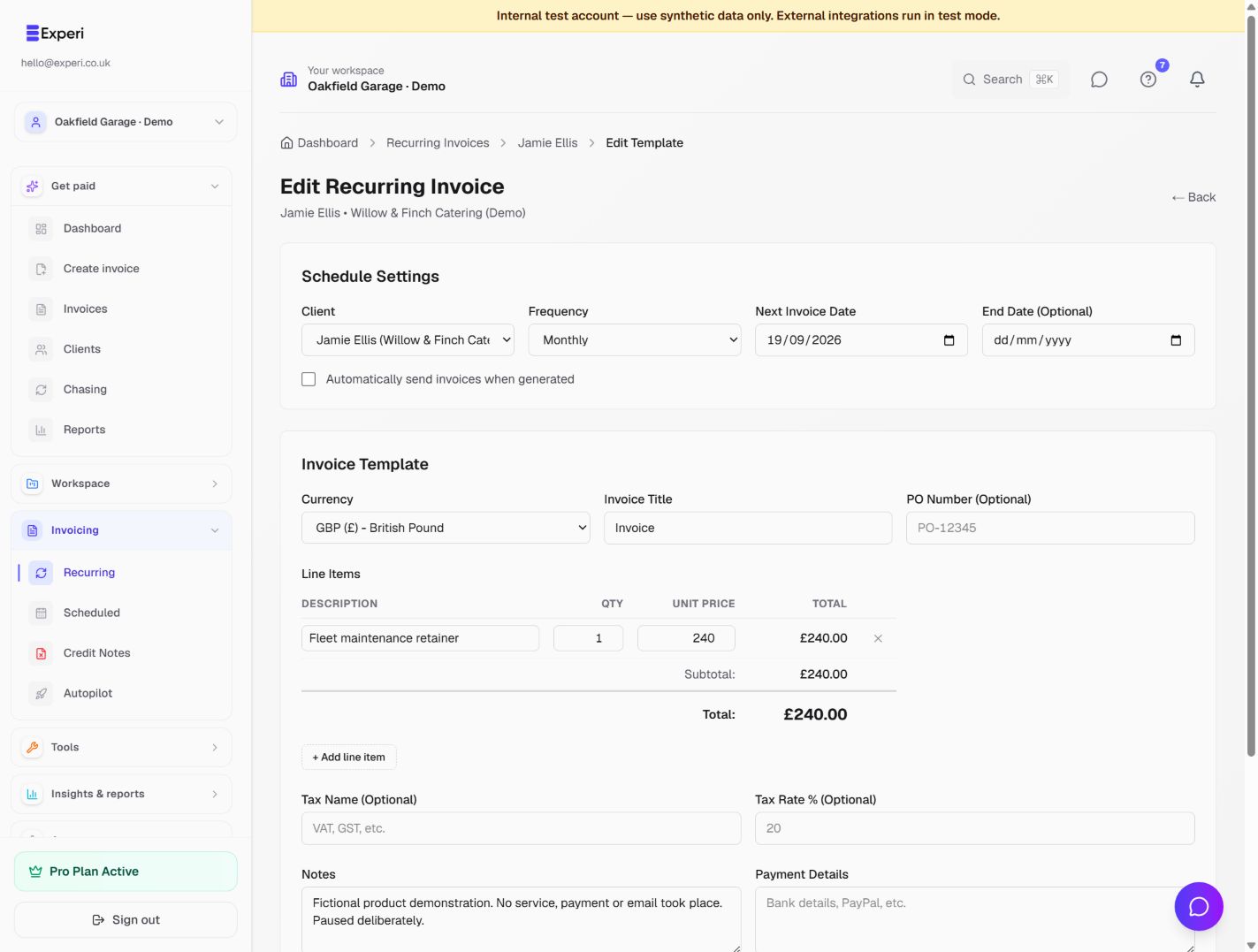
Recurring invoices can support an agreed monthly fee. Check start dates, frequency and extra work before enabling a schedule; the invoicing flow does not file tax returns.
Preselected, never automatically applied. Enter your own prices and review the client, dates and tax settings.
Before you invoice: Do not include UTRs, National Insurance numbers or detailed tax affairs in customer-facing invoice notes. Billing for preparation is not confirmation of submission.
The tools behind this workflow
Explore the tools behind this workflow. Templates and inventory are free capabilities; document allowances apply. Time tracking, recurring invoices and automated chasing require Pro.
Perfect For
Frequently Asked Questions
Does this replace practice-management or tax-filing software?
No. This workflow is for your practice's client invoices. It does not submit accounts or tax returns, manage statutory deadlines or certify completed filings.
Can I reuse a monthly bookkeeping fee?
Yes. Save the service or invoice template with your own price. Pro recurring invoicing can support agreed repeating fees; review the period, scope and schedule before enabling it.
What client information belongs on the invoice?
Include the billing details and enough engagement context to identify the work. Keep tax identifiers, payroll details and confidential advice out of invoice notes.
Get Back to the Work You Love
Spend less time on invoicing and more time doing what you're great at.
No credit card required • Start invoicing in under 60 seconds