

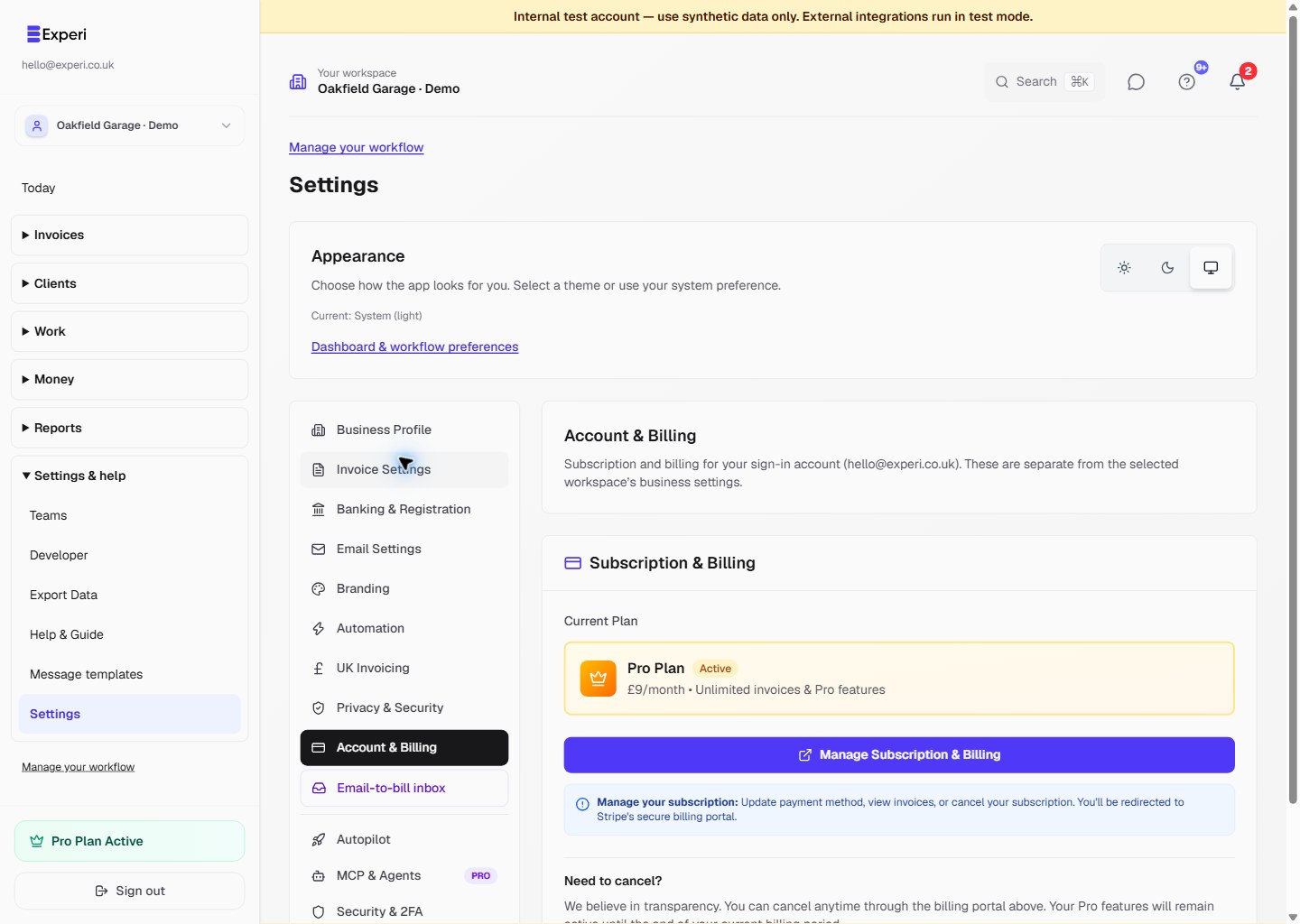
Open Settings → Account & Billing and check the sign-in email shown above the subscription panel. This manages your account, not the owner of a different selected team workspace.
Follow the screenshot
Use Manage Subscription & Billing to review the options available for your account.
For a paid subscription, open that control to use Stripe’s available payment-method, receipt and cancellation controls. Do not share a billing-portal session URL or card details with support.
Cancelling or changing access
Cancelling paid Pro stops renewal; access continues until the end of the paid period. Ending a free trial uses its separate End free trial now control when shown. Neither action deletes the account.
After Pro ends, retained records remain subject to Free limits and Pro restrictions. A colleague buying Pro on their personal account does not upgrade a different owner’s business.
Pro costs £9/month. There is no advertised annual subscription option. Experi is not VAT-registered and does not charge VAT.
If the displayed account or subscription is unexpected, stop before paying again and contact hello@experi.co.uk.
See managing your subscription for workspace ownership details and Free vs Pro.