

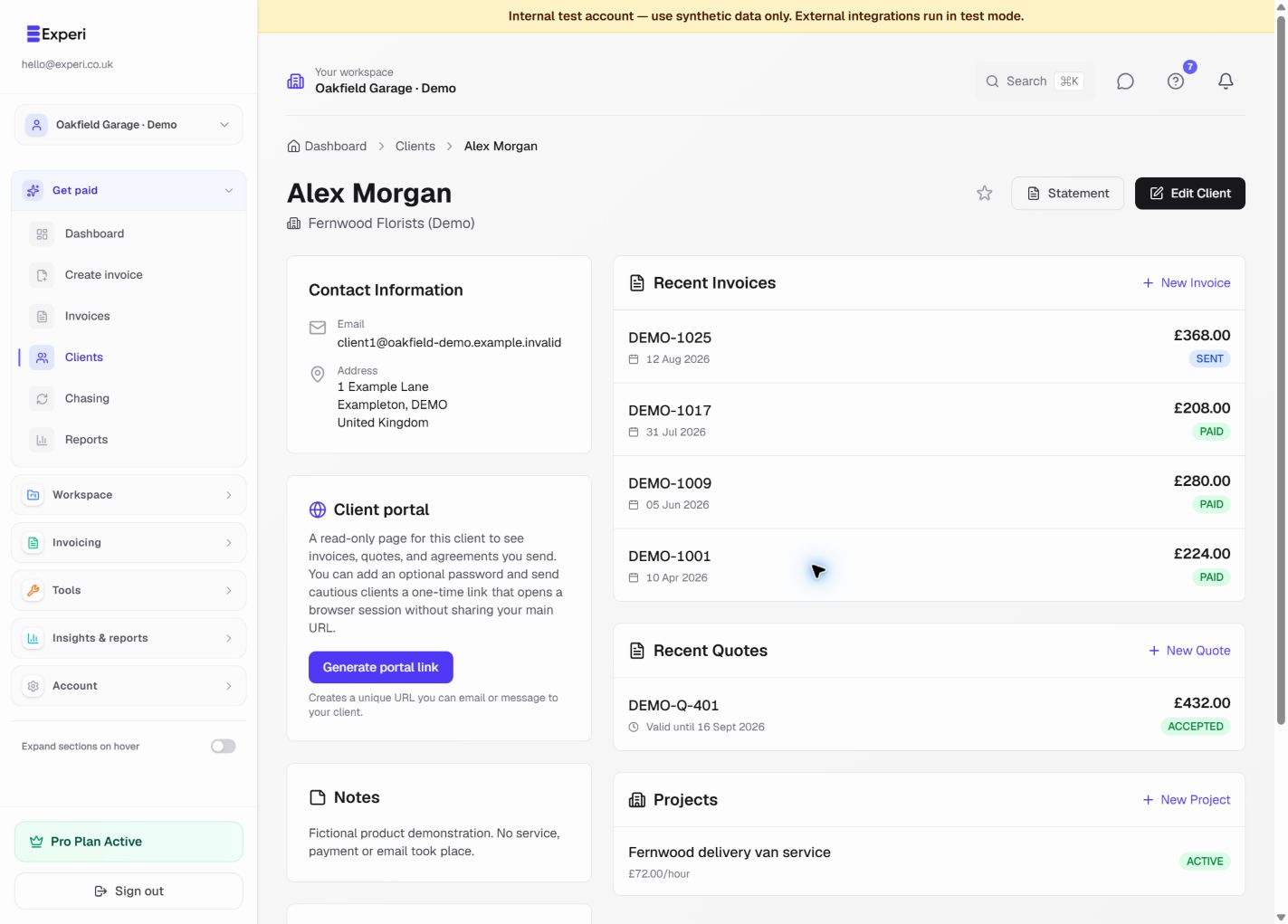
Open the client’s record to review contact details and related invoices, quotes and projects.
Keep history visible
The current client interface does not provide the Archive Client, Show Archived or Unarchive controls described in older versions of this guide.
For an inactive relationship, retain the record and use Edit Client → Notes to record its status and any relevant context. Keep notes professional and limited to what the business needs. Use the client search and favourites to find current relationships.
Do not use deletion as an archive
Deletion is a different action and must not be treated as a reversible hiding option. Review the warning and related records before deleting anything. Do not assume support can restore an individually deleted record.
If the client returns, review and update the existing record rather than creating a duplicate with a second invoice history.