

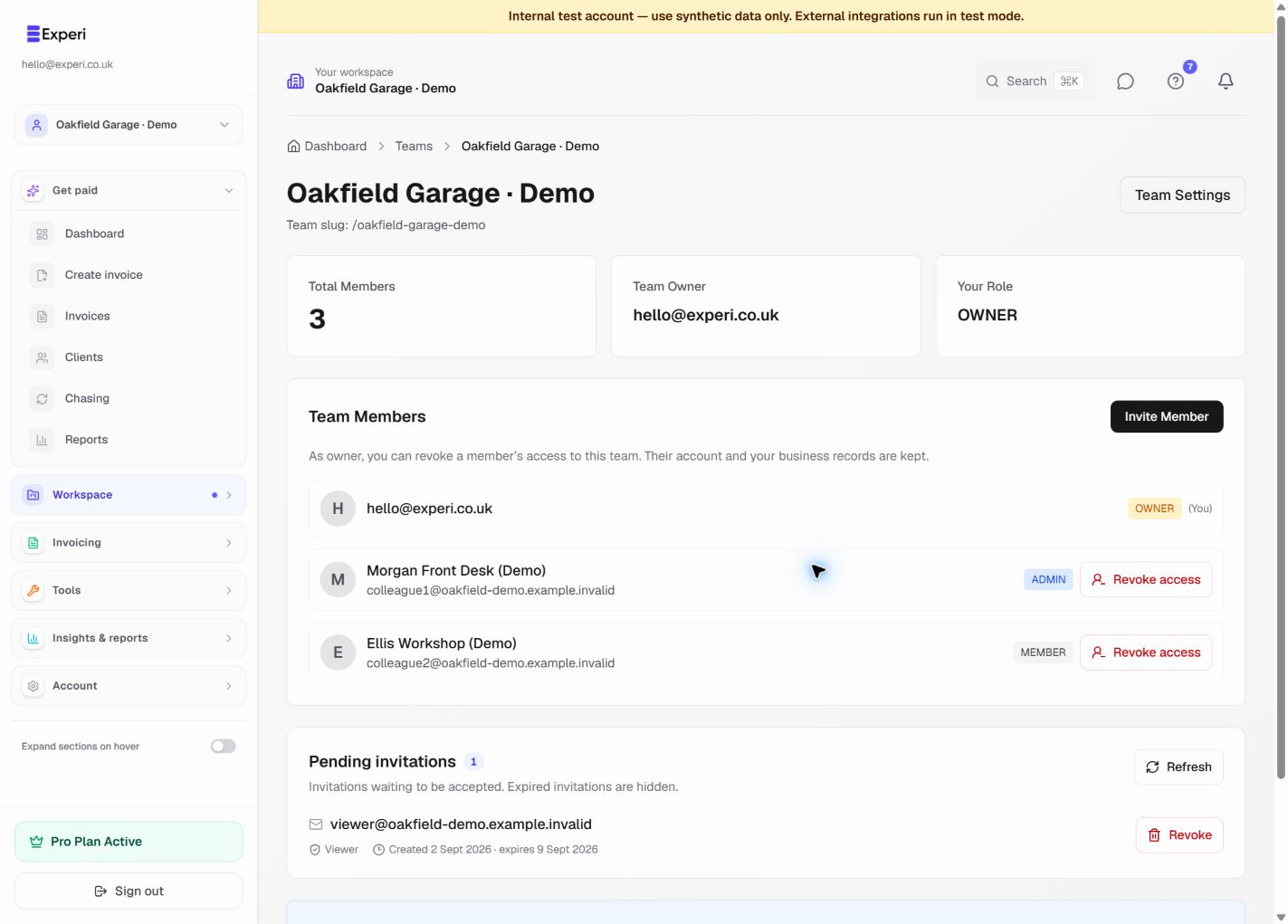
A role controls what someone can do within the selected owner's business. It does not create a separate copy of the data or restrict them to records they personally created. Give each person the least access they need.
| Role | Typical access |
|---|---|
| Owner | Manage business records and settings; invite colleagues, revoke pending invites and remove existing non-owner members. |
| Admin | Manage business records and settings; invite colleagues and revoke pending invitations. Cannot revoke an existing member's access. |
| Member | Create, edit, delete and send permitted shared business records. Cannot edit business profile settings or manage the team. |
| Viewer | Read-only business access. Cannot create, edit, send or delete records. |
| Accountant | Read business records, export permitted Financials data and review/edit permitted tax information. Cannot submit tax returns or change operational records such as invoices. |
The standard invitation form offers Admin, Member and Viewer. Accountant is a specialised role; do not select Admin as a substitute for read-only accountant access.
Pro-only features still depend on the business owner's plan, and some features have availability controls. A role does not override sending approval, plan limits or other safeguards.
Account & Billing, password changes and your sign-in identity remain personal to the signed-in account. An admin's business-settings access does not give them another person's subscription or password controls.
See switching workspaces, invitations and owner-only revocation.