

A Clear Invoice for Every Booked Journey
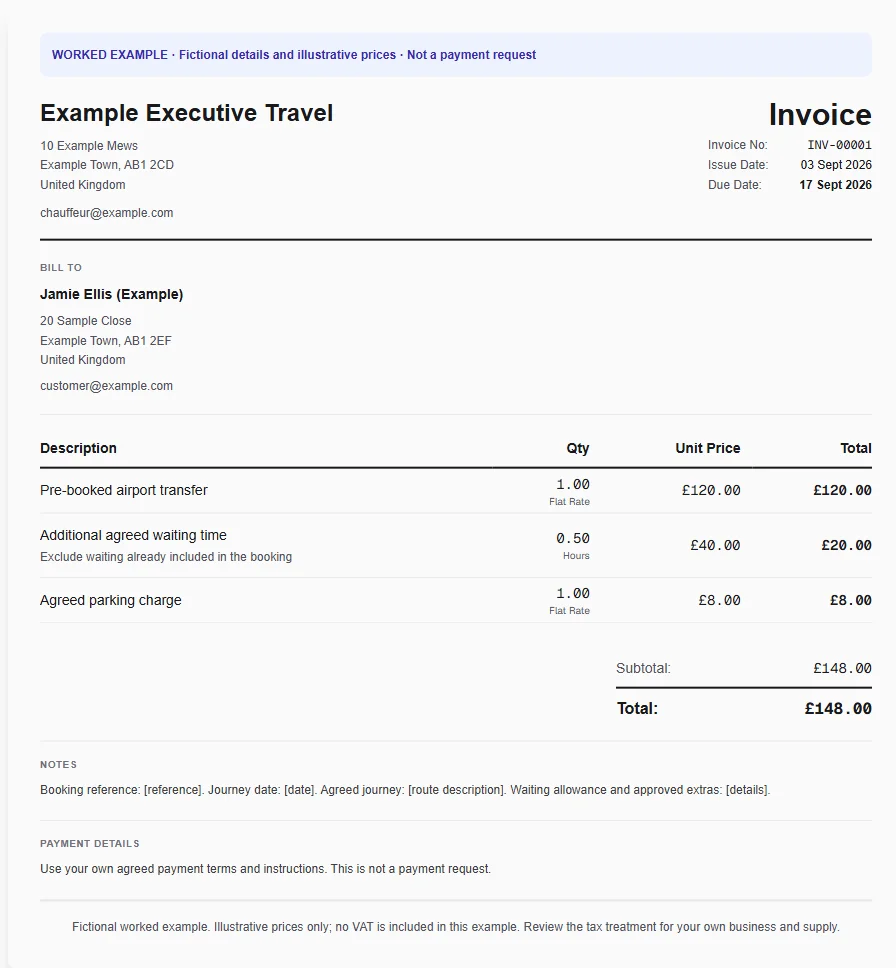
An executive airport transfer includes the booked journey, additional waiting and parking. The corporate booker needs a booking reference and a clear breakdown, rather than private passenger details or an unexplained all-in charge.
Why Choose Experi?
Match the confirmed booking
Select the chauffeur template and identify the booking and journey date. Use the agreed fare rather than the illustrative price, and check whether the passenger or a company is responsible for paying.
Explain the journey extras
Keep waiting, parking and other approved additions separate from the booked fare. Deduct any waiting allowance from the quantity before entering chargeable time; saved services can hold your repeat descriptions and rates.
Send to the right payer
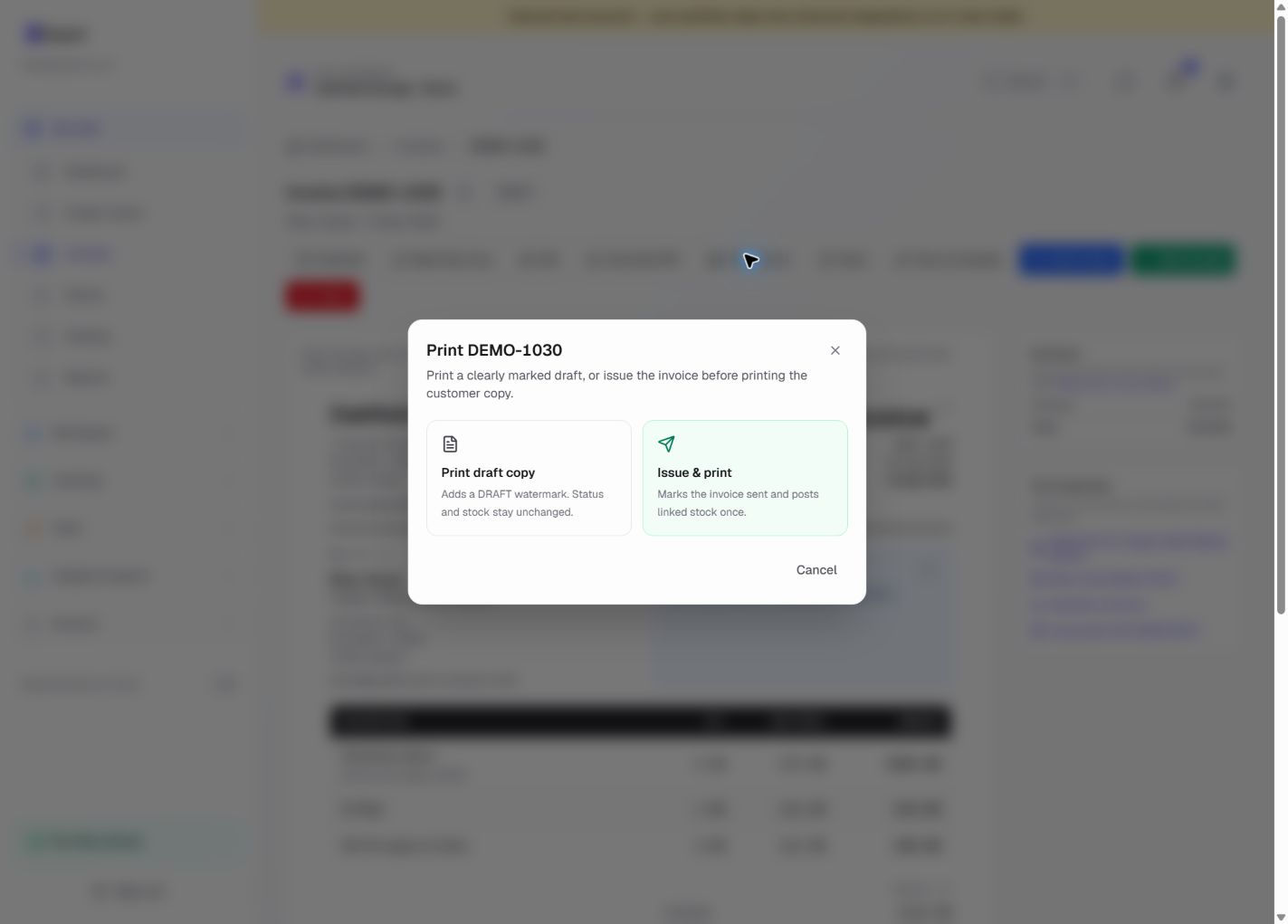
Review the booking reference with the corporate billing contact, then email or print the invoice. Record payment when received and save the reusable journey structure without storing passenger details inside the template.
From job to customer invoice
An invoice workflow for chauffeurs and private hire operators
An executive airport transfer includes the booked journey, additional waiting and parking. The corporate booker needs a booking reference and a clear breakdown, rather than private passenger details or an unexplained all-in charge.
Match the confirmed booking
Select the chauffeur template and identify the booking and journey date. Use the agreed fare rather than the illustrative price, and check whether the passenger or a company is responsible for paying.
Explain the journey extras
Keep waiting, parking and other approved additions separate from the booked fare. Deduct any waiting allowance from the quantity before entering chargeable time; saved services can hold your repeat descriptions and rates.
Send to the right payer
Review the booking reference with the corporate billing contact, then email or print the invoice. Record payment when received and save the reusable journey structure without storing passenger details inside the template.
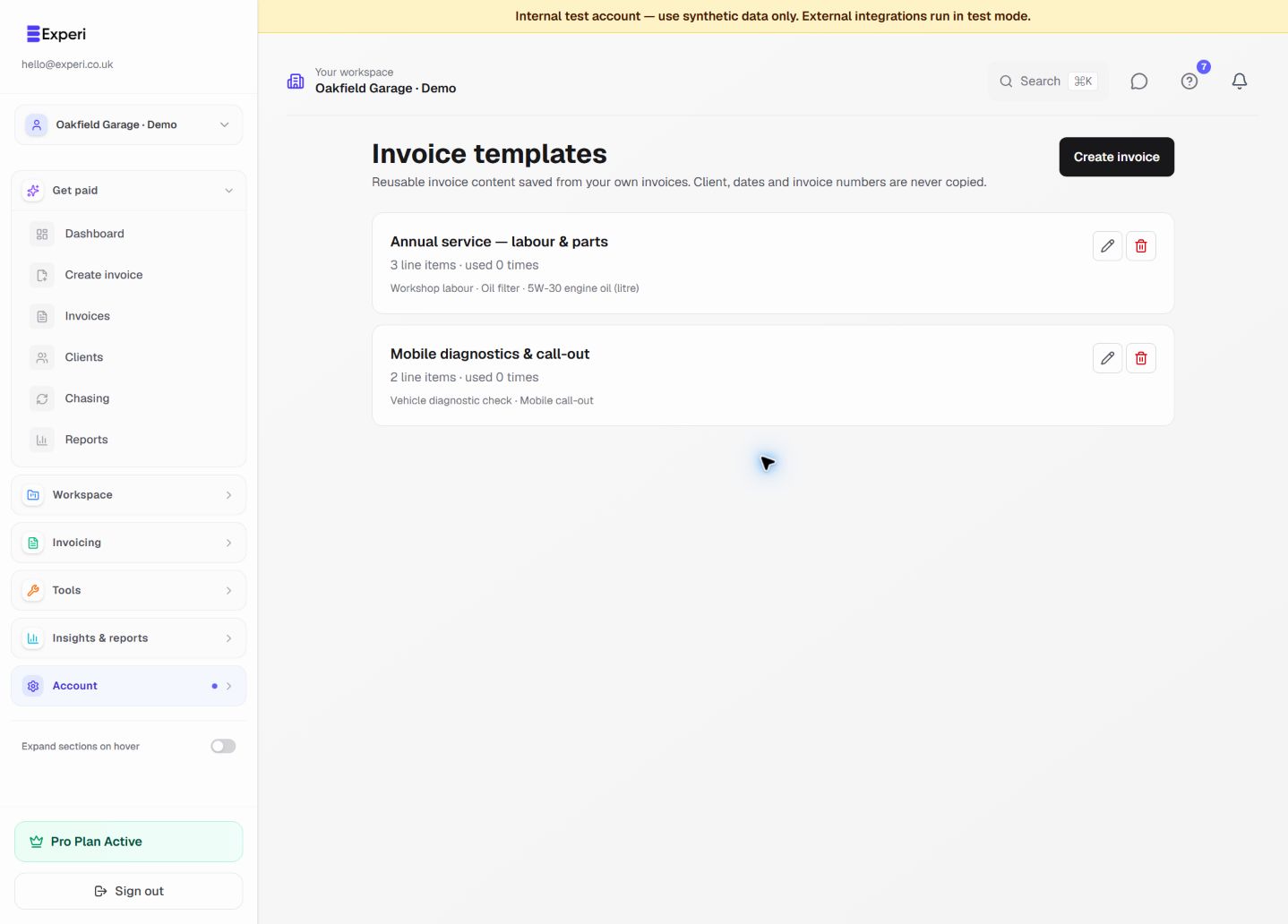
Preselected, never automatically applied. Enter your own prices and review the client, dates and tax settings.
Before you invoice: This template does not dispatch drivers, calculate a taximeter fare or establish private-hire licensing compliance. Do not put passenger itineraries, access codes or unnecessary personal details in reusable notes.
The tools behind this workflow
Explore the tools behind this workflow. Templates and inventory are free capabilities; document allowances apply. Time tracking, recurring invoices and automated chasing require Pro.
Perfect For
Key Features
Frequently Asked Questions
Does this handle private-hire bookings or dispatch?
No. Keep your booking and dispatch system. Experi provides the invoice, saved service descriptions, payment records and a printable customer copy after you check the agreed journey charges.
Which features are available on Free?
Curated and saved templates, operational inventory and invoice printing are available on Free and Pro. Free has document allowances; check Pricing for current limits. Time tracking, recurring invoicing and automated chasing require Pro.
Get Back to the Work You Love
Spend less time on invoicing and more time doing what you're great at.
No credit card required • Start invoicing in under 60 seconds