

Invoice the Job Before the Keys Go Back
Choose a mechanic template, add the vehicle details, recall saved labour and parts, then print or email the invoice before the keys go back. Issued stock items update once, while services never reduce stock.
One connected workflow
From job card to printed invoice
Move through the work in the order a garage actually does it, while the blank invoice route stays exactly where it is.
Follow the illustrated garage walkthrough →Begin with the shape of a real garage job
Start blank as usual, or explicitly apply the mechanic template. It adds useful service, labour and parts descriptions while leaving your prices empty.
Illustrative workflow. See actual application screenshots.
Start from template (optional)
Mechanic & garage invoice
Service, diagnostics, labour, parts and vehicle notes
From job to customer invoice
An invoice workflow for mobile mechanics
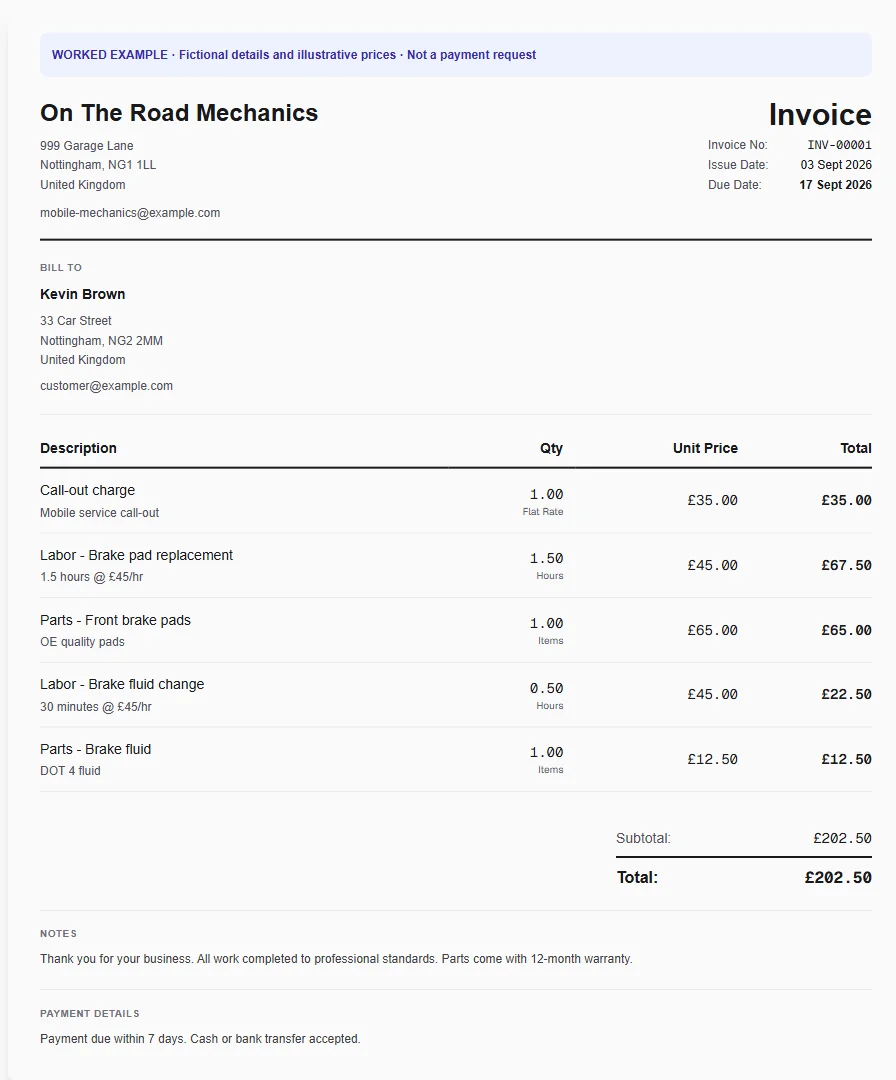
A driveway repair combines travel to the vehicle, diagnosis, repair labour and replacement parts. Separate the call-out from work completed so the customer can follow the charges even when diagnosis does not lead to a repair.
Record the call-out
Apply the mobile mechanic template and enter the vehicle and visit details. Keep the agreed attendance charge separate from additional diagnostic or repair time.
Add the parts fitted
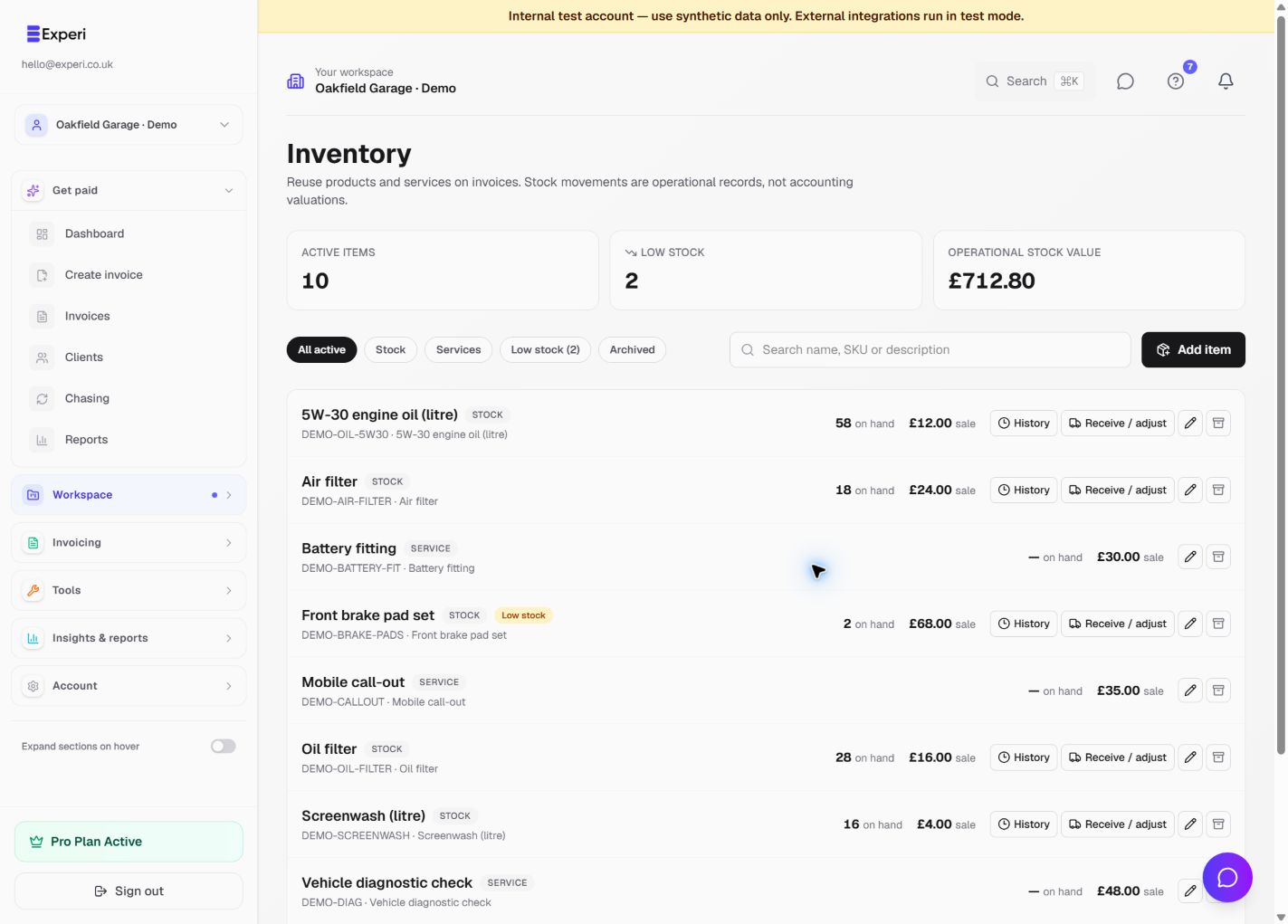
Recall sold parts and labour from Inventory. Check quantities against the actual repair; a stock warning is shown before issuing if linked items would go below zero.
Hand over a clear record
Review the work and any applicable warranty wording. Send digitally or issue and print a customer copy. Reprinting an issued invoice does not deduct the same parts again.
Preselected, never automatically applied. Enter your own prices and review the client, dates and tax settings.
Before you invoice: This is the call-out example. Workshop servicing has its own mechanic template. Neither template confirms roadworthiness or replaces a service record.
The tools behind this workflow
Explore the tools behind this workflow. Templates and inventory are free capabilities; document allowances apply. Time tracking, recurring invoices and automated chasing require Pro.
From job to customer invoice
An invoice workflow for mechanics and garages
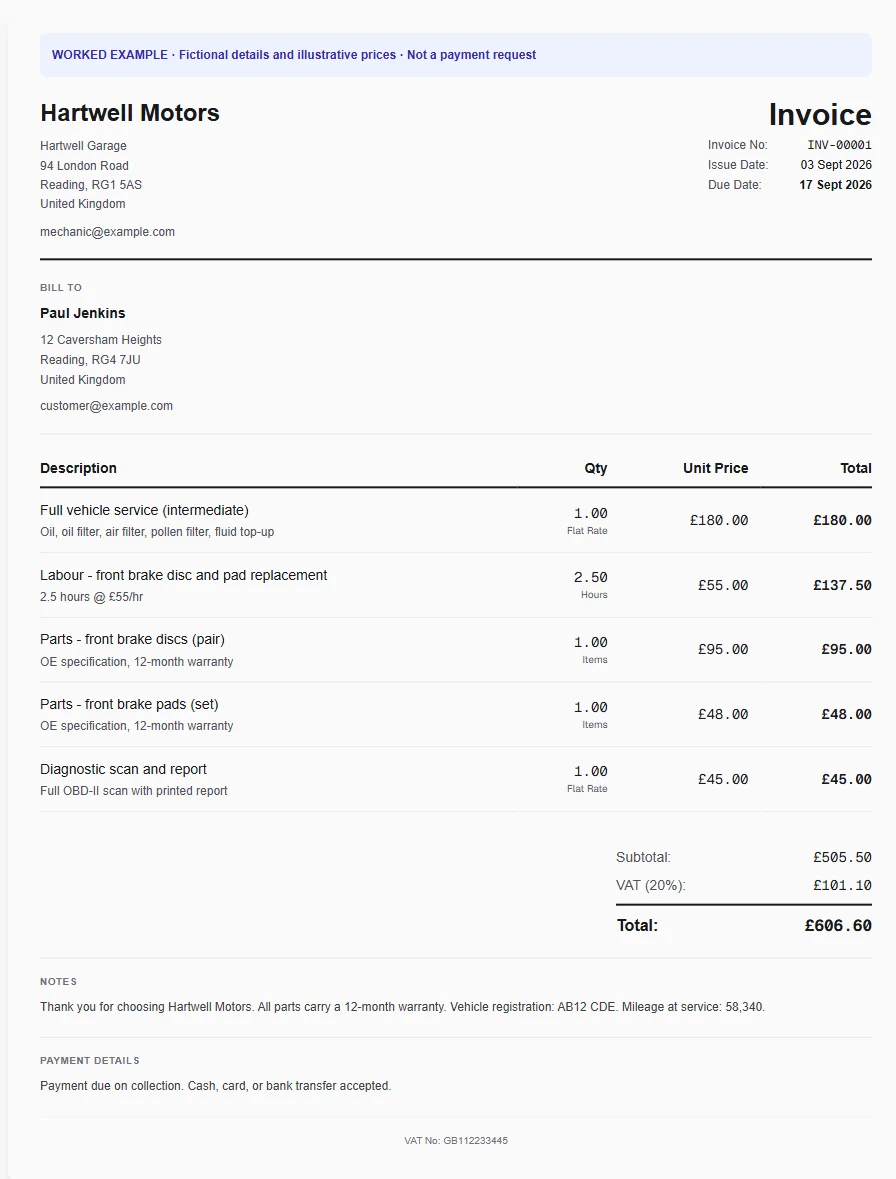
A workshop service includes diagnosis, repair labour and several parts. The customer wants an itemised record for the vehicle, while the garage needs repeat labour and parts ready for the next job.
Start from the workshop job
Apply the mechanic template and edit the diagnosis, service and repair descriptions. Put the vehicle details in Notes and enter the actual hours and quantities.
Recall parts and labour
Use Inventory to add standard labour and linked stock items. Review any shortage warning before issuing; services never reduce stock and draft invoices do not deduct parts.
Review before the keys go back
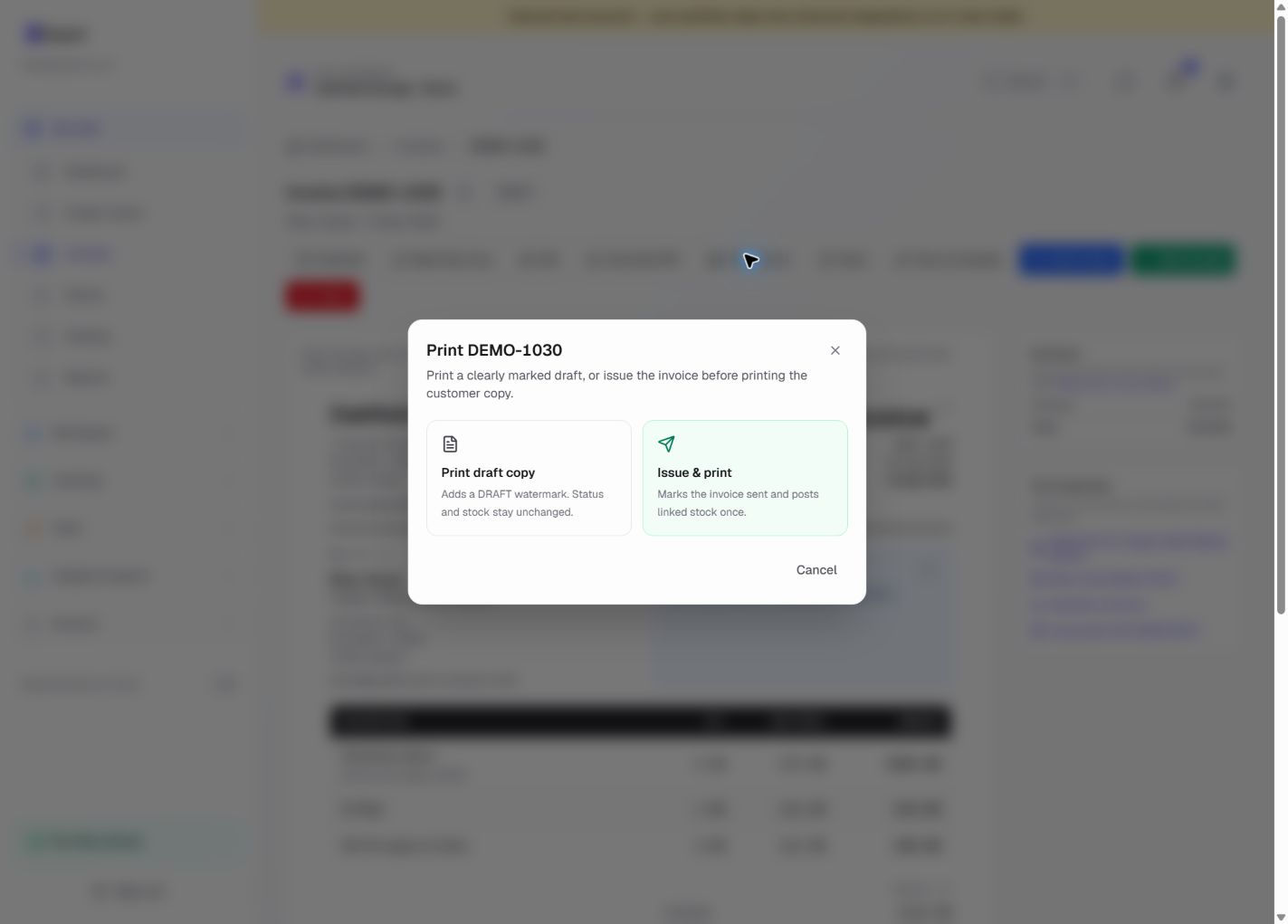
Preview the customer invoice, then email it or issue and print. An issued invoice posts linked stock once; repeat prints do not post another deduction. Record explicit returns when needed.
Preselected, never automatically applied. Enter your own prices and review the client, dates and tax settings.
Before you invoice: A printed draft is not an issued invoice. Only include warranty wording that applies to the actual work, and use an explicit return rather than assuming crediting restocks a part.
The tools behind this workflow
Explore the tools behind this workflow. Templates and inventory are free capabilities; document allowances apply. Time tracking, recurring invoices and automated chasing require Pro.
Built for workshop and mobile jobs
Frequently Asked Questions
Can a garage use the mechanic invoice template?
Yes. The mechanic template is the main worked example for independent mechanics and garages. It separates labour and parts and includes space for vehicle registration, make, model, mileage and warranty notes.
Does the template include prices?
The public page shows a worked example, but applying the curated template inside Experi leaves prices blank. You enter your own labour rate and parts prices, or recall prices from your own saved inventory.
When does Experi reduce stock?
Stock is reduced only when a draft invoice is first successfully sent or issued using Issue & print. Printing a draft, resending and reprinting do not deduct stock again, and service items never affect quantity on hand.
Can I invoice when a part would go below zero?
Yes. Experi warns you before an app send and asks for confirmation, but it allows negative operational stock so an urgent invoice is not blocked. You can then record a receipt or adjustment with a reason.
Can I print a garage invoice for the customer?
Yes. Print a clearly watermarked draft without changing its status, or issue and print the customer copy. Issuing by print marks the invoice sent and posts any linked stock once, just like the email send workflow.
Can my front-desk team help with invoicing?
Yes. Create a team on Pro and invite colleagues with their own sign-ins and suitable roles. They select your business workspace to work with its invoices, clients, templates and inventory. The owner can revoke member access without deleting the garage's records.
Get Back to the Work You Love
Spend less time on invoicing and more time doing what you're great at.
No credit card required • Start invoicing in under 60 seconds