

Other Sales and Financials are Pro capabilities subject to availability. If they are absent from your workspace, contact support to check access.
Record a non-invoice sale
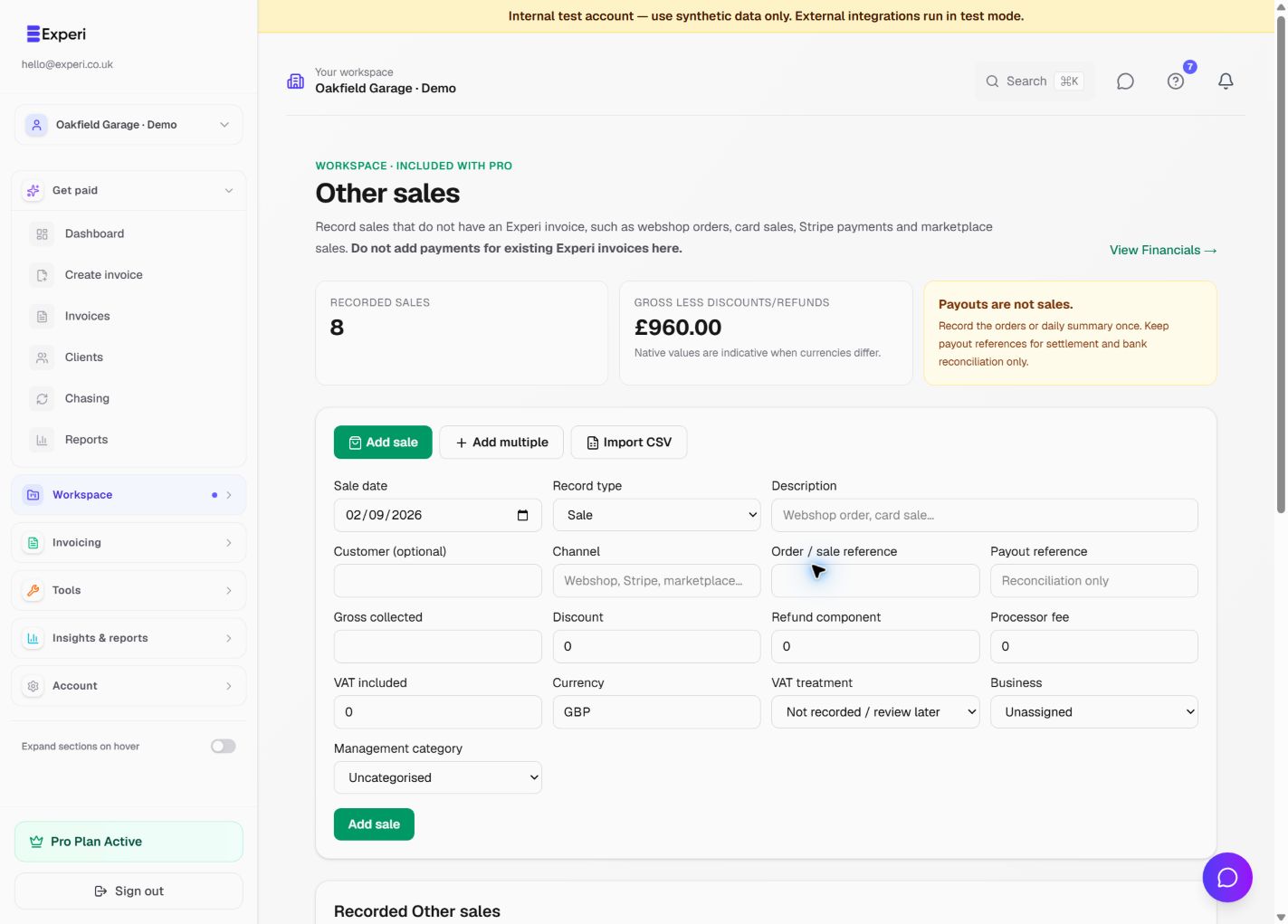
- Open Other sales and choose the appropriate entry method.
- Enter the sale date, reference, channel, currency and amount, together with any fees, refunds or VAT information the form requires.
- Choose an individual sale or a daily summary consistently. Do not record both for the same underlying sales.
- Add a recognisable description and business classification if available.
- Save and inspect the record in the list.
Use Other Sales for revenue not already represented by your invoices. A payment against an Experi invoice should not be entered again as a counter sale. A processor payout is not necessarily equal to gross revenue: reconcile fees, refunds and timing.
Review Financials
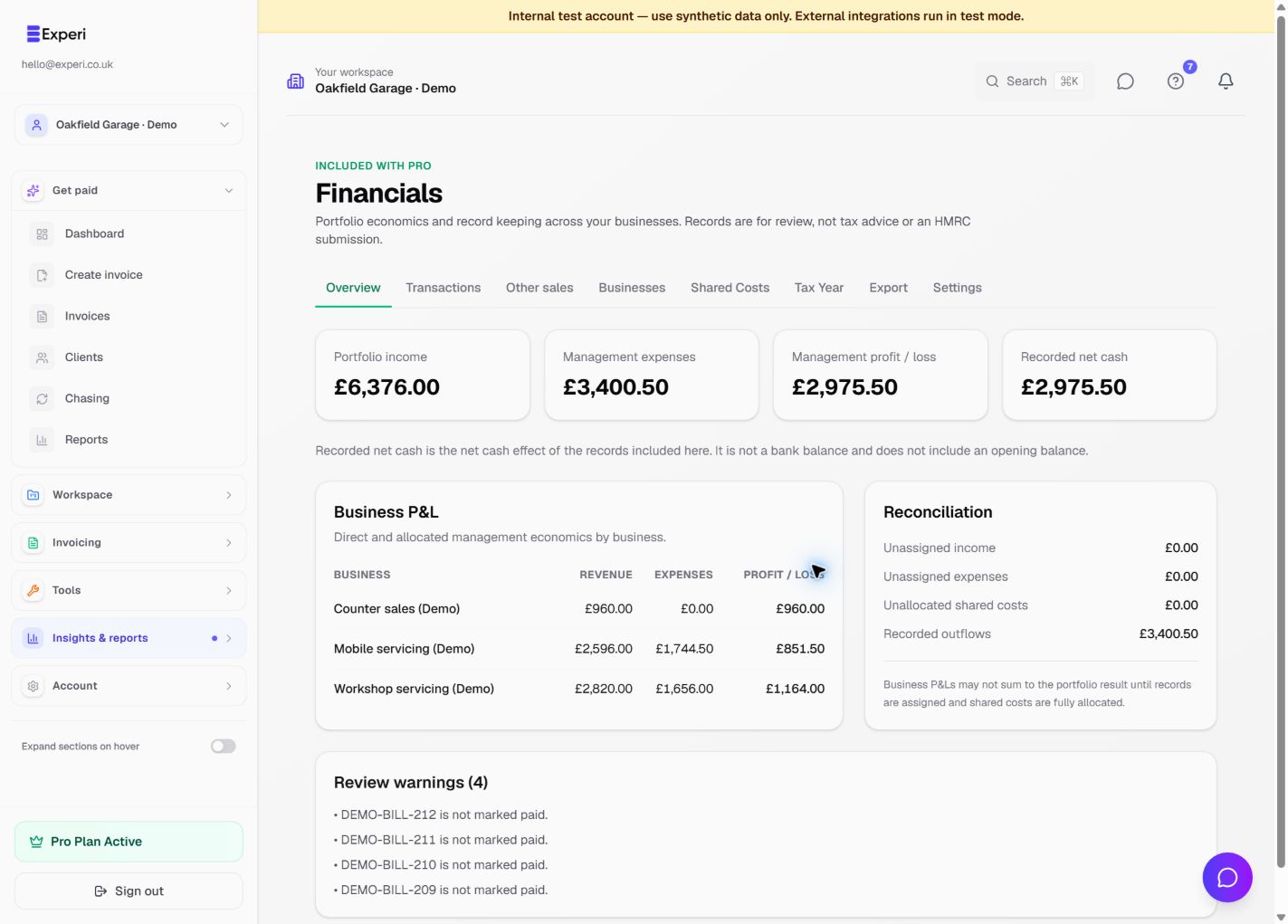
Open Financials → Overview. Review portfolio income, management expenses, profit/loss and recorded net cash. Recorded net cash is the net effect of included records, not a bank balance; an opening bank balance is not included.
Use Transactions to inspect source records, Businesses for reporting classifications and Shared Costs when a cost needs allocating across those classifications. Portfolio businesses do not create separate workspaces or restrict colleagues' access.
Resolve warnings before relying on totals
Unassigned records and unallocated shared costs can explain why business-level results differ from the portfolio total. Missing currency conversions make calculations provisional; review the source amount and conversion rather than forcing a misleading total.
Use Tax Year and Export for review with an adviser. These management records are not tax advice, a complete accounting ledger or an HMRC submission.
See supplier costs and record reconciliation.