

Reports answer different questions. A forecast estimates what may happen; a quarterly summary groups recorded activity; a tax planner estimates from its inputs. None should be treated as a verified bank balance or a completed tax submission.
Read the cash-flow forecast
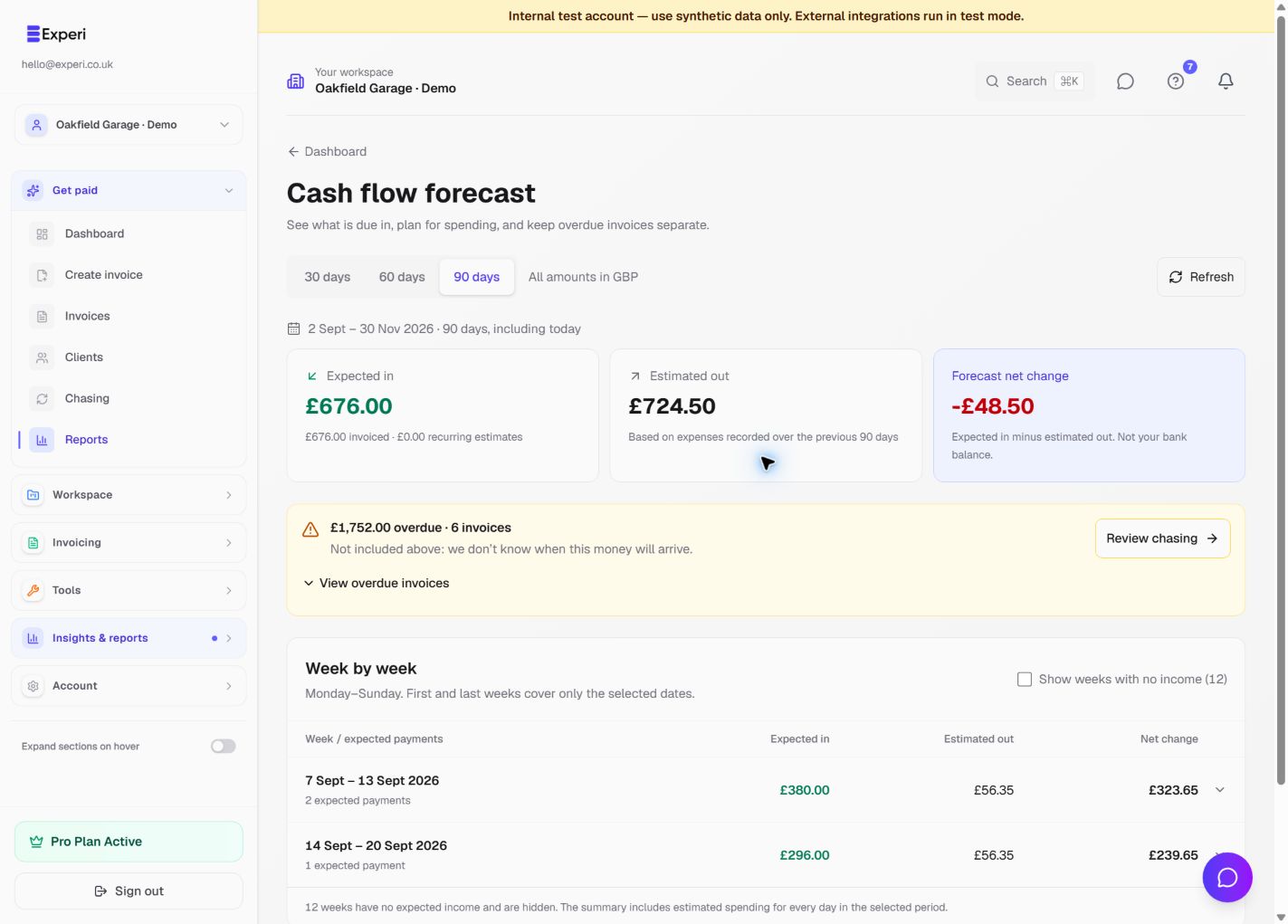
- Open Cash Flow or Reports and choose 30, 60 or 90 days.
- Read the exact date range. It includes today; these are alternative horizons, not three amounts to add together.
- Compare Expected in, Estimated out and Forecast net change.
- Review overdue invoices separately. Their payment dates are unknown, so they are not silently placed into this week's expected income.
- Expand a week to inspect its expected payments. Weeks are Monday–Sunday, with partial weeks at the edges.
- Use Show weeks with no income if you need the complete timeline.
Estimated out uses expenses recorded over the previous 90 days. It is not a schedule of upcoming supplier bills. The forecast does not promise that clients will pay on time, and recurring amounts are estimates rather than issued invoices.
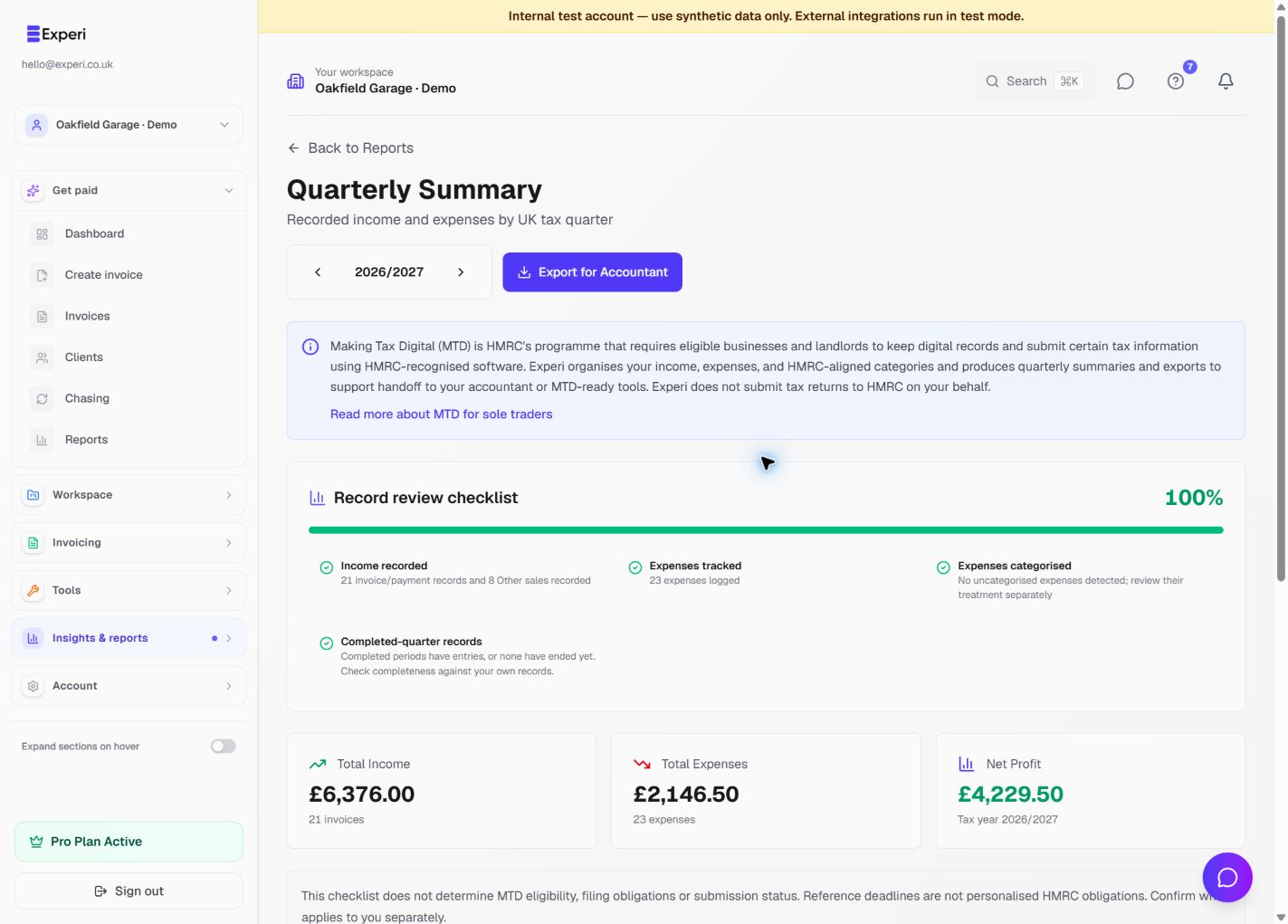
Review quarterly records
Open Quarterly Summary, select the tax year and read the displayed period dates. Compare recorded income and expenses with your source records. A readiness indicator is a prompt to review missing information, not HMRC approval.
An empty quarter can be legitimate. Check record dates, payment status, selected workspace and the report's basis before changing or duplicating records.
Use Tax Planner carefully
Check eligibility, legal structure, tax year and the assumptions shown in the planner. Complete the relevant inputs before relying on an estimate.
VAT tools assist with record preparation; VAT treatment and recoverability still need review. Tax Planner and Quarterly Summary are not evidence that a return has been submitted to HMRC. Connected filing features may not be available in your workspace.
See forecast calculations, reconciliation and export, and Financials.