

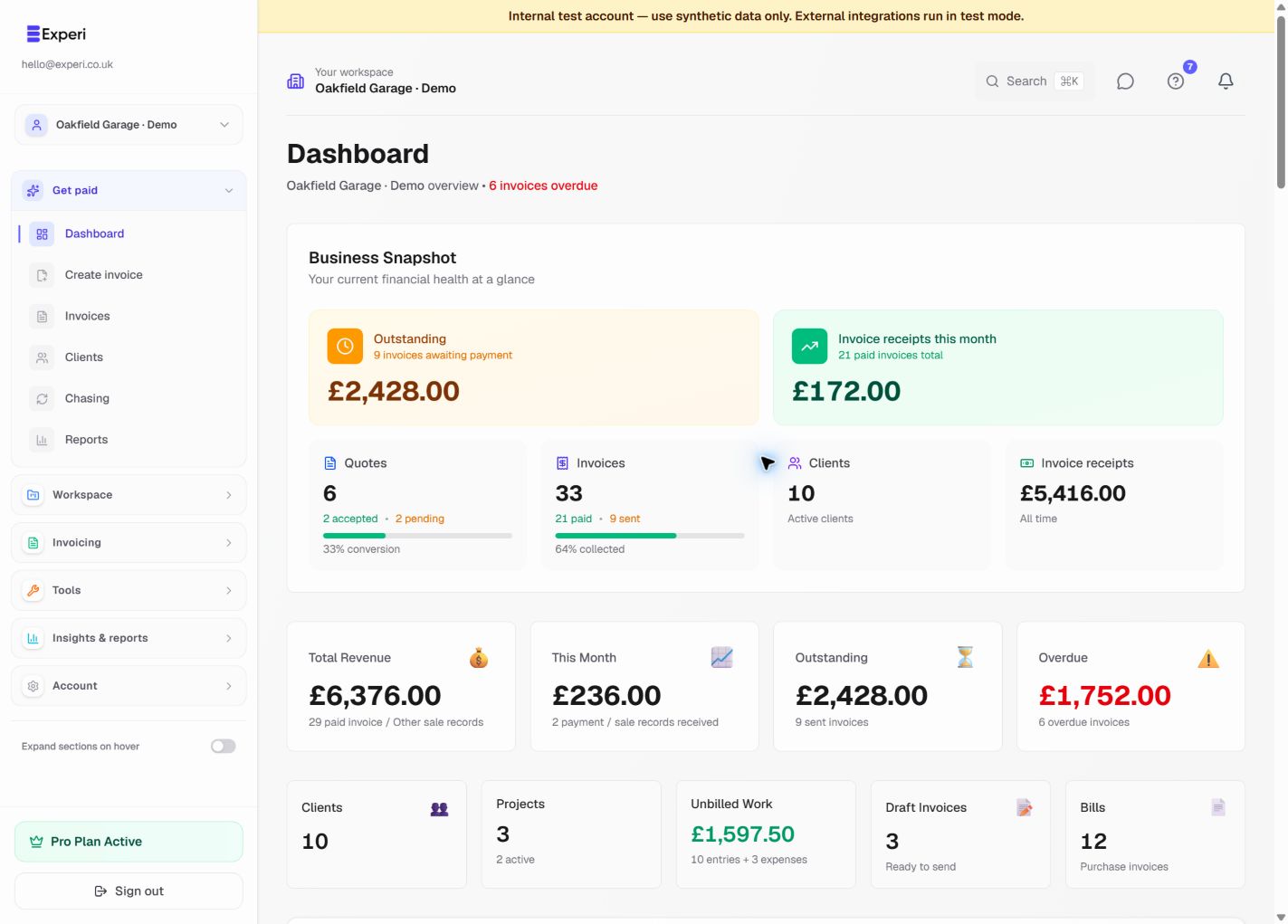
Start with the workspace name and your role in the header. Every card, chart and action uses the selected business's records. Your login email identifies you; it is not the selected business.
Read the four Today cards
- Paid invoices this month shows invoice payments recorded during the displayed month.
- Awaiting payment shows remaining balances on sent invoices that are not yet overdue.
- Overdue shows remaining balances whose due date has passed.
- Unbilled work shows billable time and expenses that have not yet been attached to an invoice.
Use the currency selector when the business has records in more than one currency. Experi does not add unrelated currencies together. A sent invoice is not proof that money has been received, and dashboard totals are not a bank balance.
Use the charts
Invoicing performance shows the selected period's invoice movement over time. Awaiting payment groups unpaid invoice balances by age so you can see whether recent invoices or older debt need attention. Hover or focus a chart value for its exact label where available.
The charts summarise Experi records. They do not inspect a live bank feed. Open the underlying invoice or payment history before making a collection or accounting decision.
Work through the next actions
The next-actions list prioritises useful work such as overdue invoices and unbilled items. Open the record and review it before sending, marking paid or changing a schedule. Automatic reminders remain controlled separately under Chasing settings.
Use Invoices for every invoice, Chasing for overdue follow-up, Unbilled work for tracked work and Cash flow & reports for forward-looking estimates. Financials on Pro provides the wider management view across invoices, bills, expenses and Other Sales.
Choose your dashboard experience
New accounts start with the updated workflow. Existing accounts can choose New: explore the dashboard with charts and insights above the dashboard, or open Settings → Your workflow. The choice is stored for your account in that workspace and can be changed back at any time. Save an open invoice draft before switching.
See switching workspaces, chasing unpaid invoices and Financials.